> For the complete documentation index, see [llms.txt](https://docs.ideogram.ai/llms.txt). Markdown versions of documentation pages are available by appending `.md` to page URLs; this page is available as [Markdown](https://docs.ideogram.ai/plans-and-billing/billing-and-subscriptions.md).
# Billing & Subscriptions
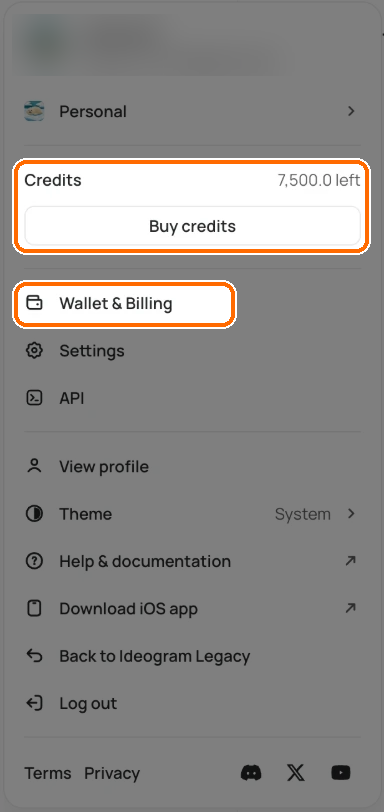
You manage your subscription from **Wallet & Billing**. Click your avatar at the bottom of the sidebar, then click **Wallet & Billing**. You can also go to **Settings** → **Wallet & Billing**.
Open the user menu and click Wallet & Billing.
To manage your own plan, switch to your **Personal** workspace first. In a team workspace, only the team owner sees **Wallet & Billing**, and it shows the team's billing.
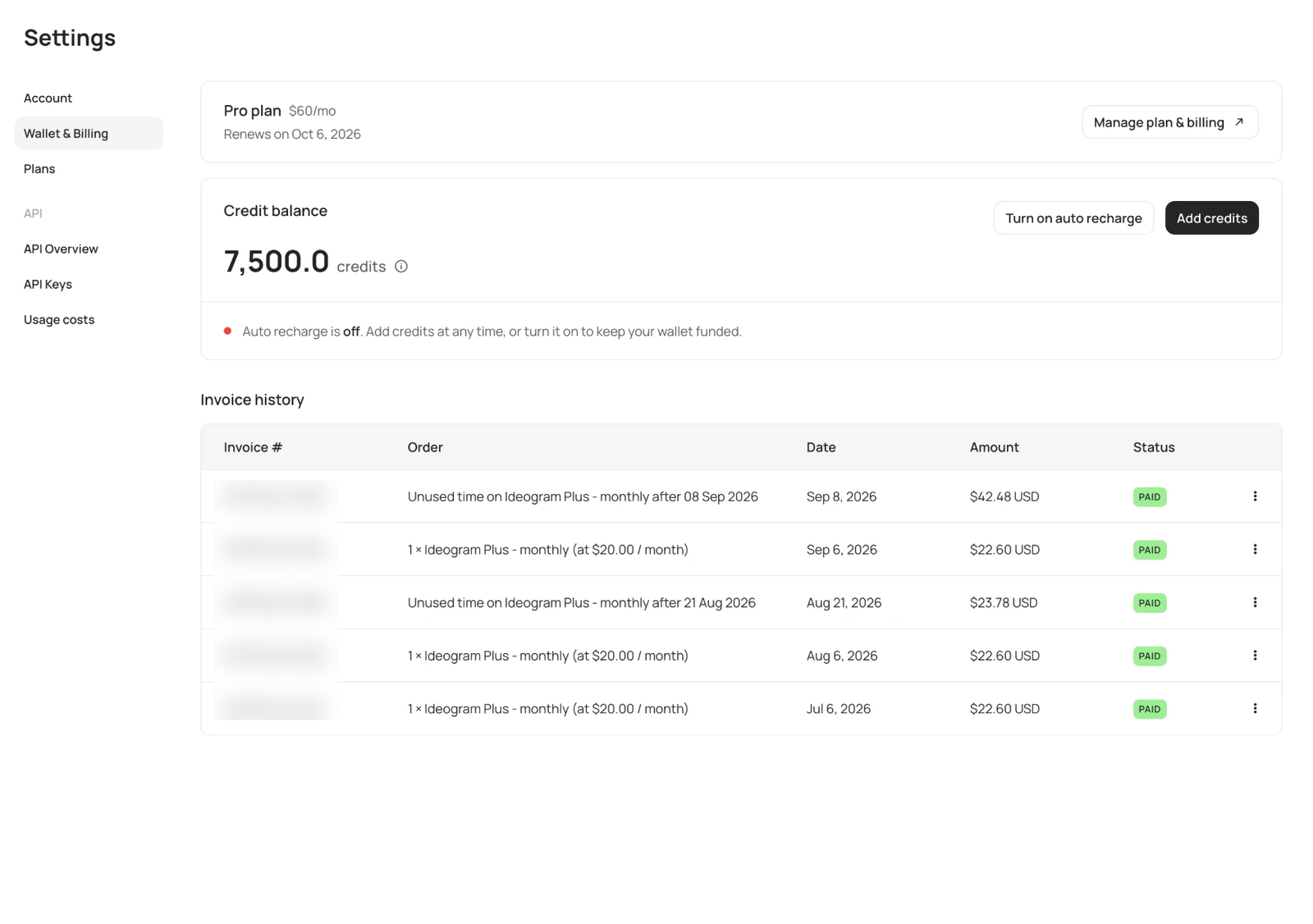
The page has three parts:
* **Plan card**: your plan, its price and your renewal date. **Upgrade plan** opens the plans. **Manage plan & billing** opens the billing portal in a new tab, where you cancel, change your payment method and update billing details.
* **Credit balance**: your credits, with **Add credits** and auto recharge. See [Buying Extra Credits](/plans-and-billing/buying-extra-credits.md).
* **Invoice history**: every charge. Click **⋮** at the end of a row to download its invoice.
The plan card, Credit balance and Invoice history on Wallet & Billing.
To change plans, go to **Settings** → **Plans**.
From here you can:
* [Cancel your subscription](/plans-and-billing/billing-and-subscriptions/cancelling-your-subscription.md), or undo a cancellation
* [Check your renewal date and billing cycle](/plans-and-billing/billing-and-subscriptions/renewals-and-billing-cycles.md)
* [Switch to a different plan](/plans-and-billing/billing-and-subscriptions/switching-or-downgrading-plans.md)
* [Download invoices and add tax details](/plans-and-billing/billing-and-subscriptions/invoices-receipts-and-tax-details.md)
* Update your payment method
{% hint style="info" %}
Your subscription belongs to the account you were signed in to when you subscribed. If you sign in another way (Google instead of Apple, say, or a different email), you are in a different account and won't see your subscription there. See [Troubleshooting Billing Issues](/plans-and-billing/billing-and-subscriptions/troubleshooting-billing-issues.md).
{% endhint %}
Subscribed through the iOS app? Manage it in the App Store instead. See [Subscriptions Through the iOS App](/plans-and-billing/billing-and-subscriptions/ios-app-subscriptions.md).
For what each plan includes, see [Plans and Credits](/plans-and-billing/available-plans.md). Ideogram doesn't offer refunds; see [Refunds](/plans-and-billing/billing-and-subscriptions/refunds.md).