> For the complete documentation index, see [llms.txt](https://docs.ideogram.ai/llms.txt). Markdown versions of documentation pages are available by appending `.md` to page URLs; this page is available as [Markdown](https://docs.ideogram.ai/using-ideogram/getting-started/image-upload.md).

# Image Upload

Available to users on the Ideogram Plus plan and higher, the Image Upload feature allows you to upload your own images to Ideogram and use them in various ways.

## Uploading an Image

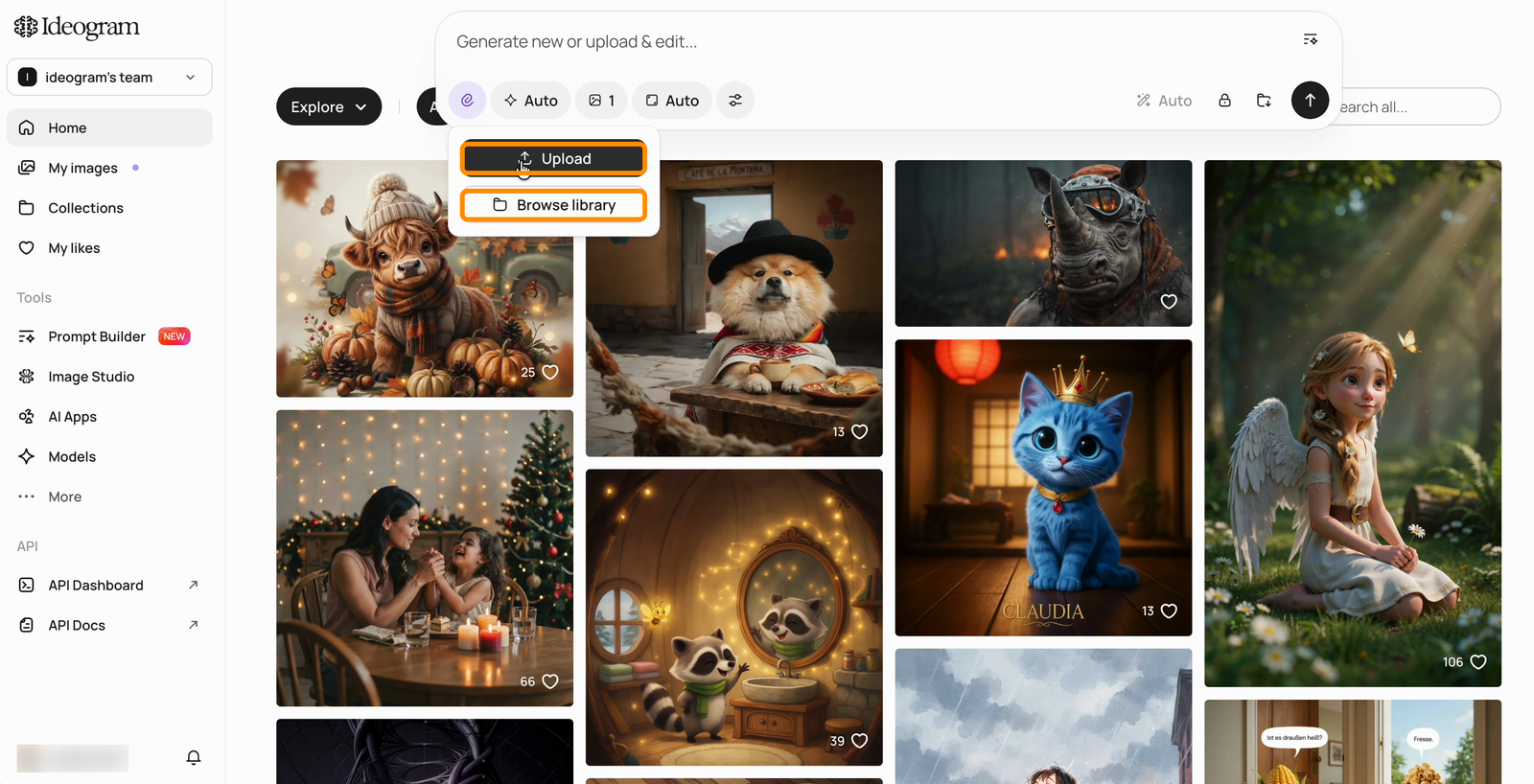
You can upload an image by simply pasting it into the prompt area or by clicking on the **Image upload** icon <picture><source srcset="/files/DGpBbiV2nCXSrblsIpjs" media="(prefers-color-scheme: dark)"><img src="https://1799634369-files.gitbook.io/~/files/v0/b/gitbook-x-prod.appspot.com/o/spaces%2FzjhNby3LLsIikYuvxAJP%2Fuploads%2F0dn1LcMqBKWVY0MwqYUI%2FIdeogram%20-%20Light%20Dark%402x.png?alt=media&amp;token=a158fb11-b7b1-4e12-9279-9f8036129273" alt="Image upload icon" data-size="line"></picture> located on the right side of the prompt box. You can also upload images directly into [Image Studio](/using-ideogram/features-and-tools/image-studio.md).

{% hint style="info" %}
Uploads can be up to **50 MB** per file, with a **16-megapixel** cap on image dimensions.
{% endhint %}

<figure><img src="https://1799634369-files.gitbook.io/~/files/v0/b/gitbook-x-prod.appspot.com/o/spaces%2FzjhNby3LLsIikYuvxAJP%2Fuploads%2Fgit-blob-aaba33dcd690da4e888f76a548d638393acf550e%2Fprompt-box-upload-menu.png?alt=media" alt="Prompt box with the upload icon clicked, showing the Upload and Browse library options highlighted"><figcaption><p>The upload icon offers <strong>Upload</strong> (a new file) or <strong>Browse library</strong> (an existing image).</p></figcaption></figure>

Choose **Upload** to pick a file from your computer, or **Browse library** to reuse an image already in your account. The **Edit image** shortcut on the home page opens the same flow.

{% hint style="info" %}
Uploaded images are private and can be found in your Library where uploaded and private images are available.
{% endhint %}

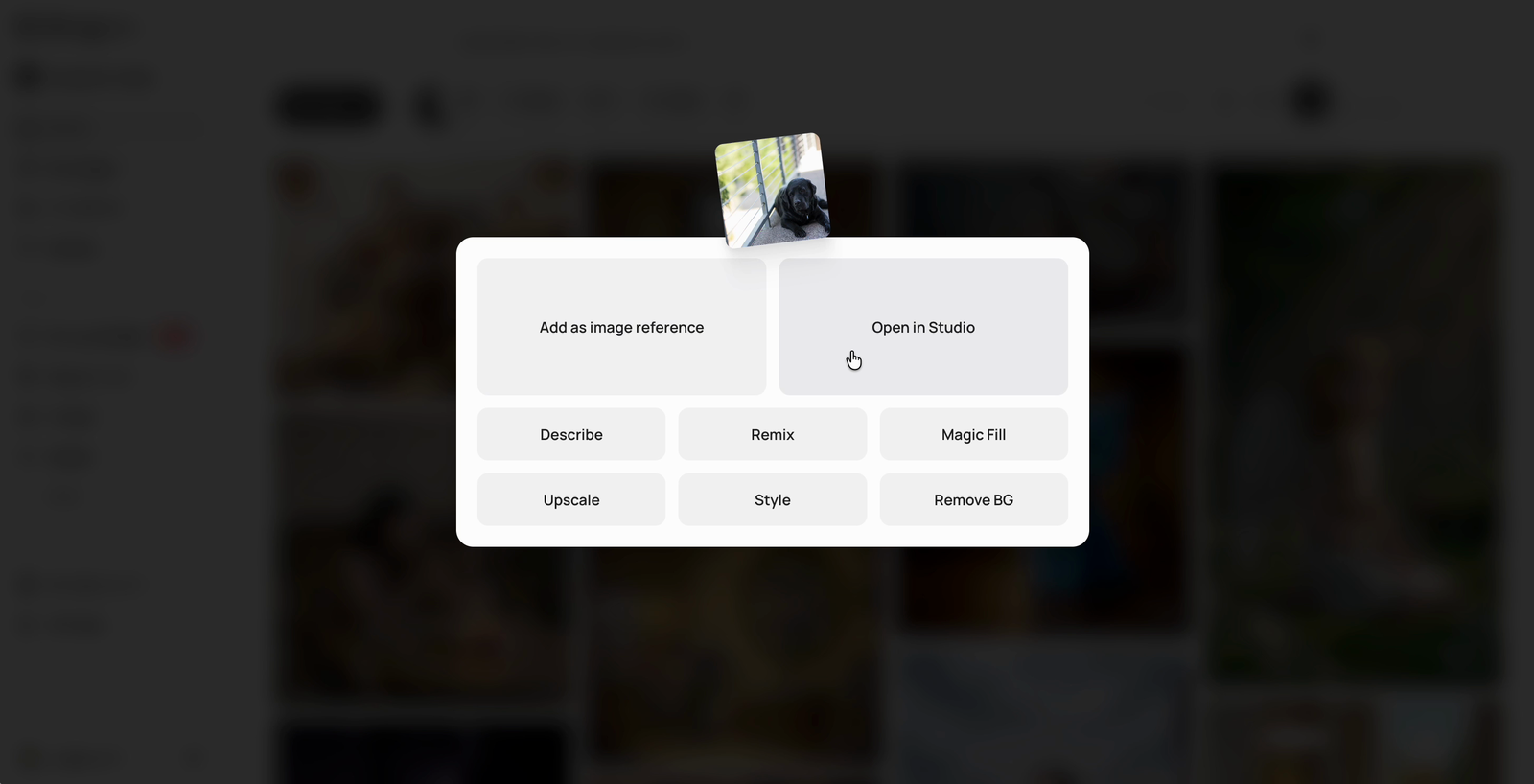
You will then be presented with the actions currently supported for your account, plan, and selected image:

1. **Add as image reference**: Attach the image to the prompt box and describe the change or generation you want — the model is set to Auto automatically to support image references.
2. **Open in Studio**: Open the image on the [Image Studio](/using-ideogram/features-and-tools/image-studio.md) canvas for AI edits, extending, layers, and more.
3. [**Describe**](/using-ideogram/features-and-tools/describe.md): Use AI to generate a description of your image and use it as a prompt without retaining the original image.
4. [**Remix**](/using-ideogram/features-and-tools/remix.md): Keep the image as a base for generating a new one, balanced by a strength setting.
5. **Magic Fill**: Edit a selected area of the image with a prompt.
6. [**Upscale**](/using-ideogram/features-and-tools/upscale.md): Enhance your image to a higher resolution.
7. **Style**: Use the image as a style reference when generating images.
8. [**Remove BG**](/using-ideogram/features-and-tools/replace-or-remove-background.md): Remove the background from the main subject of the image.

<figure><img src="https://1799634369-files.gitbook.io/~/files/v0/b/gitbook-x-prod.appspot.com/o/spaces%2FzjhNby3LLsIikYuvxAJP%2Fuploads%2Fgit-blob-52a39be3d8132c9d35e734b03f778e430ed3d44b%2Fupload-action-chooser.png?alt=media" alt="Action chooser shown after uploading an image, with Add as image reference and Open in Studio as primary options above Describe, Remix, Magic Fill, Upscale, Style, and Remove BG"><figcaption><p>Pick what to do with the uploaded image.</p></figcaption></figure>

In this example, we will choose the **Remix** option.

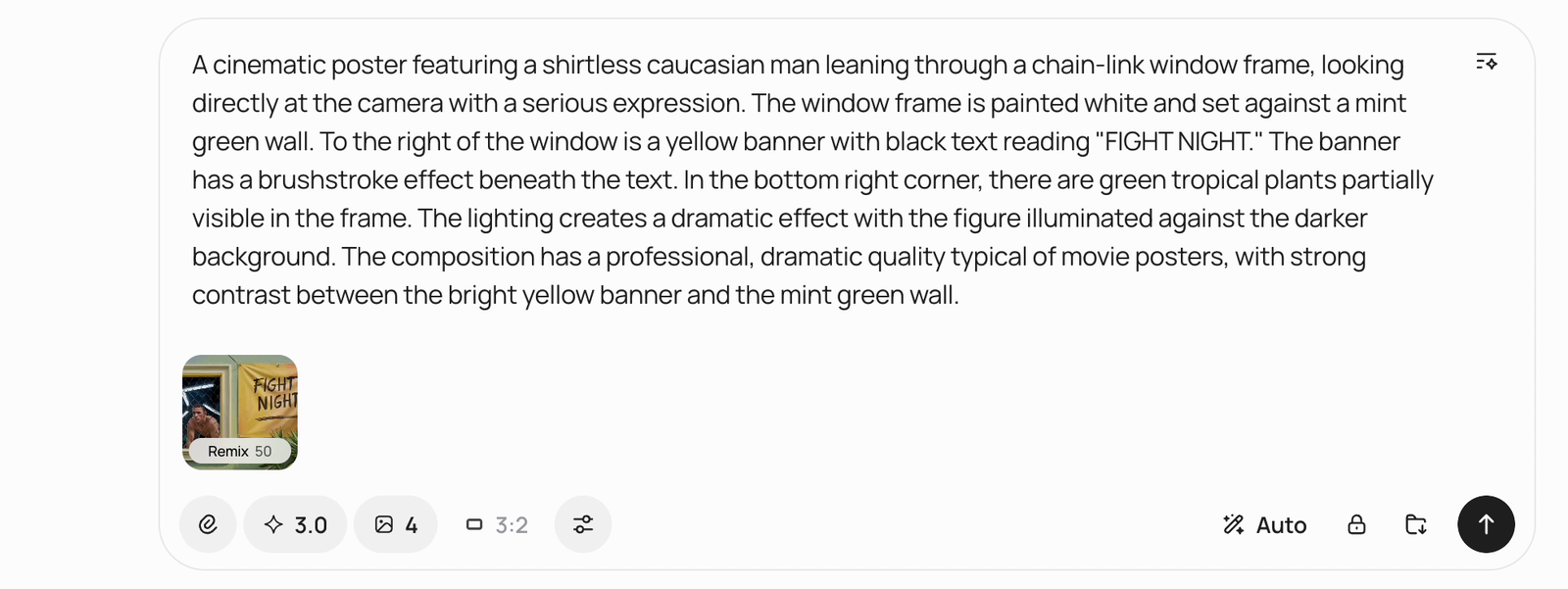
Selecting the [**Remix**](/using-ideogram/features-and-tools/remix.md) option keeps the image in the prompt area, allowing it to be used as a base for the next remixed image. Use the [**Describe**](/using-ideogram/features-and-tools/describe.md) function to generate a description of the image as the starting point for your prompt.

<figure><img src="https://1799634369-files.gitbook.io/~/files/v0/b/gitbook-x-prod.appspot.com/o/spaces%2FzjhNby3LLsIikYuvxAJP%2Fuploads%2Fgit-blob-17d5e3a316b40d37e29dce780b296f75d9ff18d7%2Fprompt-box-remix-describe.png?alt=media" alt="Prompt box containing an AI-written description of the attached image, with the image shown as a Remix chip at strength 50 below the text"><figcaption><p>The prompt box with the attached image as a Remix chip and its description as the prompt.</p></figcaption></figure>

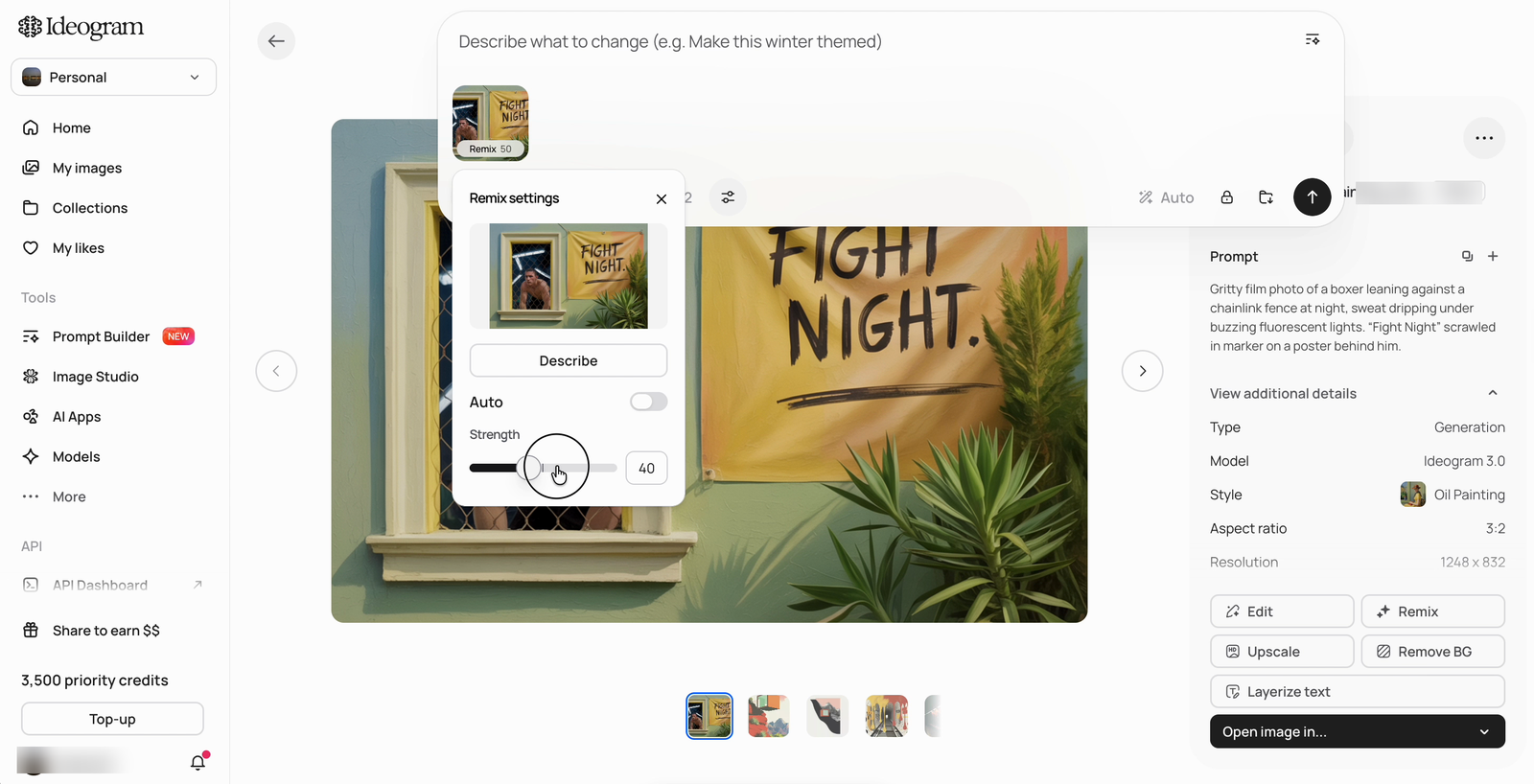
Click the image chip to open **Remix settings**, where you can run **Describe** and adjust the **Strength** slider — higher values stay closer to the original image, lower values give your prompt more influence.

<figure><img src="https://1799634369-files.gitbook.io/~/files/v0/b/gitbook-x-prod.appspot.com/o/spaces%2FzjhNby3LLsIikYuvxAJP%2Fuploads%2Fgit-blob-93461b969920b900f67515efc7dc006ebefe8992%2Fprompt-box-remix-settings.png?alt=media" alt="Remix settings popover open on the attached image, showing a Describe button, an Auto toggle, and a Strength slider set to 40"><figcaption><p>Remix settings: <strong>Describe</strong> and the <strong>Strength</strong> slider.</p></figcaption></figure>

{% hint style="info" %}
Please note a notification at the top of the prompt might appear when your image doesn't have a dimension similar to a default aspect ratio. It will indicate that your image will be automatically cropped to the nearest supported aspect ratio in Ideogram. If you wish to adjust the image manually before remixing, use the Crop tool in [Image Studio](/using-ideogram/features-and-tools/image-studio.md).
{% endhint %}

Once you have adjusted all the parameters and the prompt to your liking, simply press the submit button to generate the image.

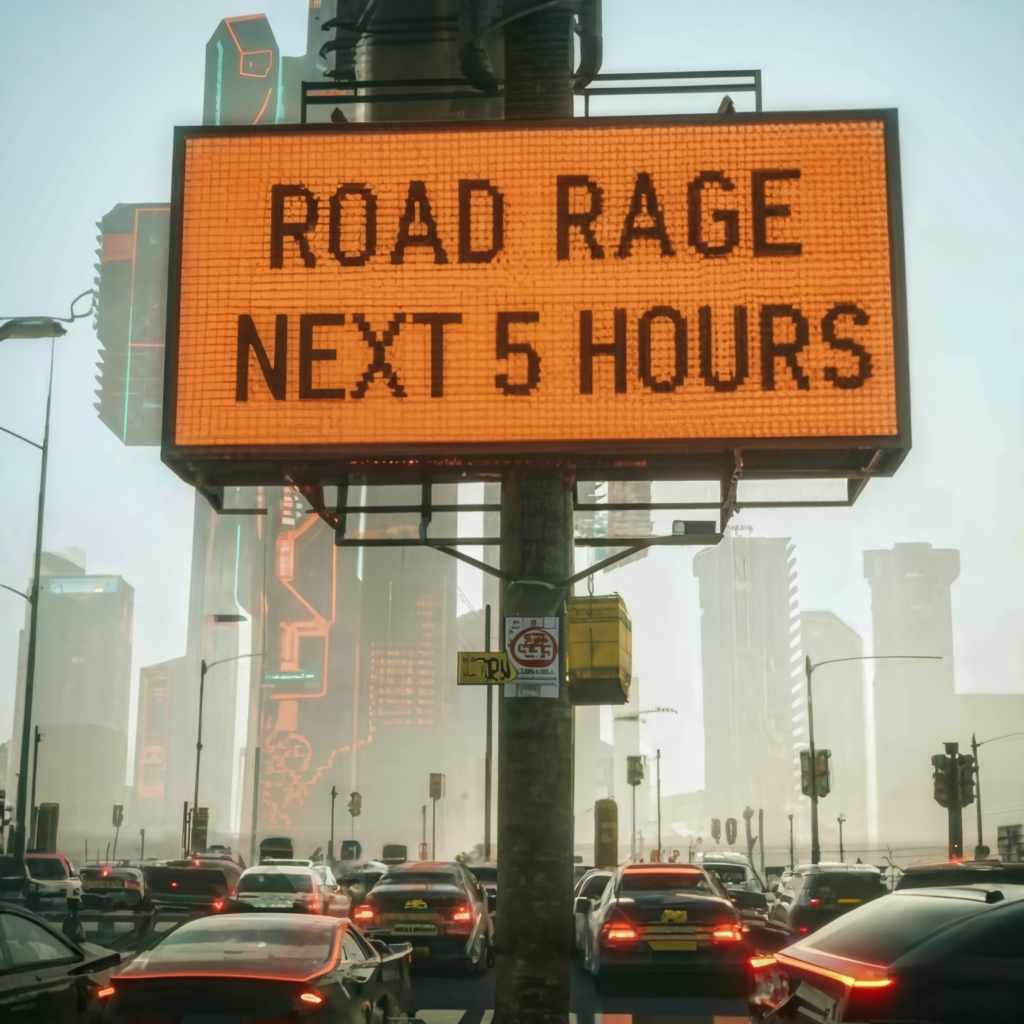
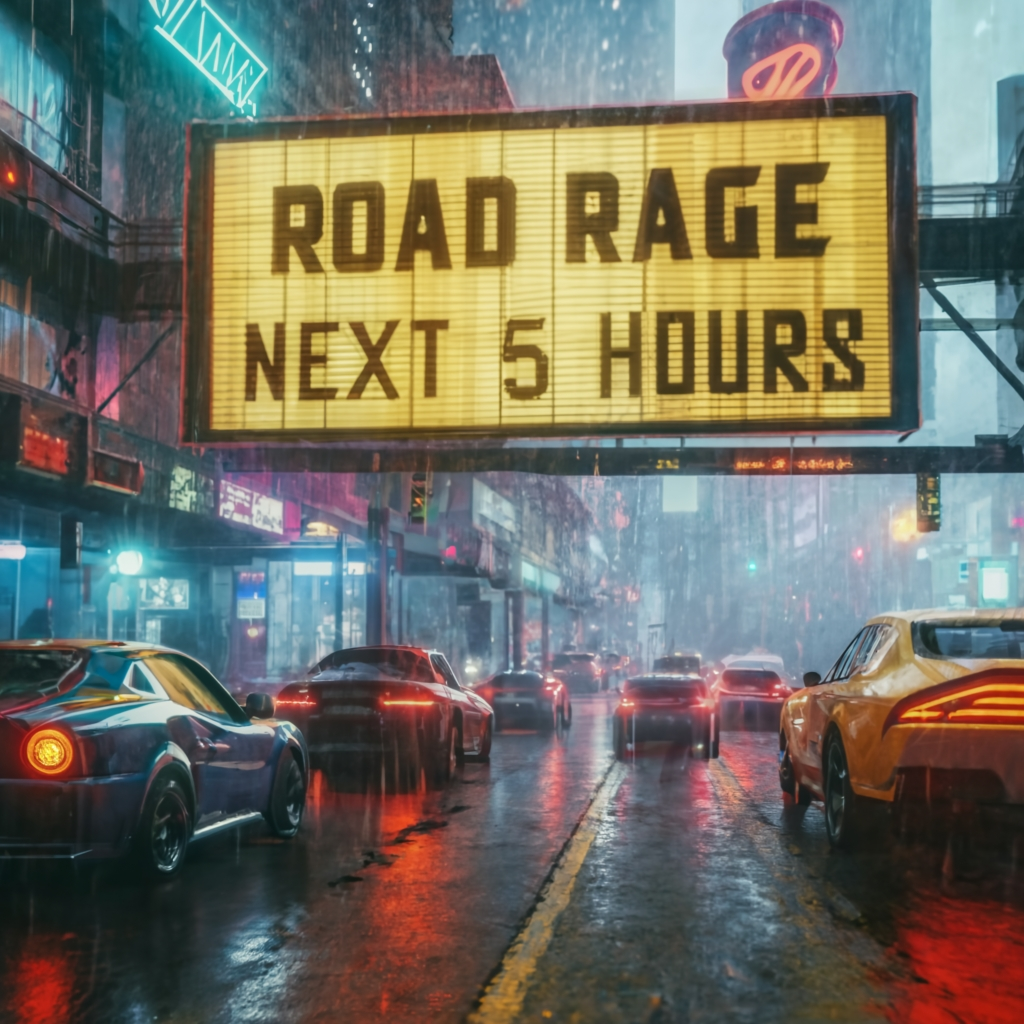
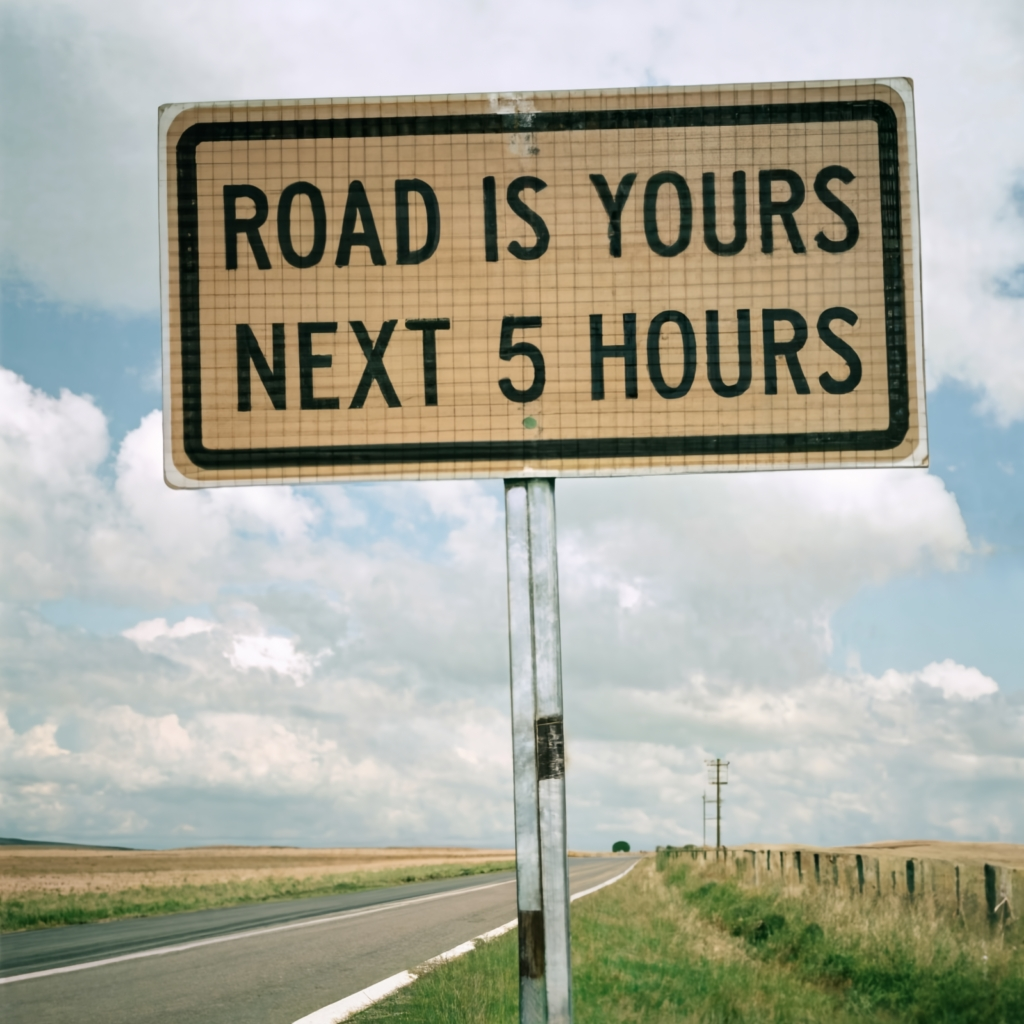
The following examples demonstrate how image prompting can influence the position and style of text in the final generation.

<table data-card-size="large" data-view="cards"><thead><tr><th></th><th></th><th></th></tr></thead><tbody><tr><td><strong>Original image</strong></td><td><img src="https://1799634369-files.gitbook.io/~/files/v0/b/gitbook-x-prod.appspot.com/o/spaces%2FzjhNby3LLsIikYuvxAJP%2Fuploads%2FkdM691zkt5byvnlHpmXe%2FRoad-Original.png?alt=media&amp;token=5242bbac-fe5d-40c5-a83a-4915e0709e74" alt="Orange road sign on a desert highway reading Road Work Next 5 Miles" data-size="original"></td><td>This is the original image that was uploaded as the basis for the remixes presented in the next three images. Note that these images maintain visual consistency with the original, while adhering to their respective prompts.</td></tr><tr><td><strong>Output A</strong></td><td><img src="https://1799634369-files.gitbook.io/~/files/v0/b/gitbook-x-prod.appspot.com/o/spaces%2FzjhNby3LLsIikYuvxAJP%2Fuploads%2FZmrs3TVANgCgBBuaKvoI%2FRoad-1.png?alt=media&amp;token=d138a71d-1071-46e3-a320-223636f69e42" alt="Gridlocked dystopian city street beneath an LED billboard reading Road Rage Next 5 Hours" data-size="original"></td><td>[Traffic Havoc] A dystopian cityscape, gridlocked streets with a foreboding road sign declaring "Road Rage - Next 5 hours." Agitated drivers amidst polluted air, inspired by the cyberpunk style. Stark neon lights, dark atmosphere, and a gritty, ultra-realistic portrayal., typography, photo, cinematic</td></tr><tr><td><strong>Output B</strong></td><td><img src="https://1799634369-files.gitbook.io/~/files/v0/b/gitbook-x-prod.appspot.com/o/spaces%2FzjhNby3LLsIikYuvxAJP%2Fuploads%2FUnarDkJMdnp0nA4gkBaE%2FRoad-2.png?alt=media&amp;token=de83c9b2-5abd-4bbd-be00-b9ab3160feac" alt="Rain-soaked neon-lit street crowded with cars under a yellow sign reading Road Rage Next 5 Hours" data-size="original"></td><td>[Rush Hour Havoc] Overcrowded urban road, perpetual traffic, ominous "Road Rage - Next 5 hours" sign. Infused with cyberpunk aesthetics, neon-lit surroundings, rain-soaked streets, a Blade Runner vibe, intense lighting, gritty realism, sharp details., typography, photo, cinematic</td></tr><tr><td><strong>Output C</strong></td><td><img src="https://1799634369-files.gitbook.io/~/files/v0/b/gitbook-x-prod.appspot.com/o/spaces%2FzjhNby3LLsIikYuvxAJP%2Fuploads%2FAqDzWAsfniYpvj4QvjsU%2FRoad-3.png?alt=media&amp;token=86905858-37b9-4121-b8ea-715d206e2496" alt="Countryside roadside sign under a vast cloudy sky reading Road is yours Next 5 Hours" data-size="original"></td><td>[Timeless Journey] Expansive countryside, a winding road leading into the unknown. The road sign, "Road is yours - Next 5 hours," under a vast sky. An homage to the simplicity of Grant Wood's style, subtle realism, muted color palette, capturing the essence of a timeless and leisurely journey., typography, photo, cinematic</td></tr></tbody></table>