> For the complete documentation index, see [llms.txt](https://docs.ideogram.ai/llms.txt). Markdown versions of documentation pages are available by appending `.md` to page URLs; this page is available as [Markdown](https://docs.ideogram.ai/using-ideogram/generation-settings/tile.md).

# Tile

## Using the Tile Feature

The Tile feature lets you generate images that repeat seamlessly without visible borders or interruptions. It’s available to **all paid users** and is ideal for creating backgrounds, textures, and repeating patterns directly from a prompt.

To access Tile:

1. Select the Prompt Box to expand it (if not already open) and display the generation settings.
2. Ensure **Model version 1.0** is selected under [Models + variations](/using-ideogram/generation-settings/available-models.md) — the Tile option is greyed out and unavailable when using any other model version.
3. Select the **Tools** button to expand the generation tools.
4. Select the **More** button <picture><source srcset="/files/bbvScHeWGxLkjTbtJpXt" media="(prefers-color-scheme: dark)"><img src="https://1799634369-files.gitbook.io/~/files/v0/b/gitbook-x-prod.appspot.com/o/spaces%2FzjhNby3LLsIikYuvxAJP%2Fuploads%2FQMg6DKTYV1xcFS8gwDal%2FPB%20-%20More%20Button%20-%20Light.png?alt=media&amp;token=883b737c-c2c6-4c15-86cc-378824550c3c" alt="More options icon" data-size="line"></picture> to open a dropdown menu.

<figure><img src="https://1799634369-files.gitbook.io/~/files/v0/b/gitbook-x-prod.appspot.com/o/spaces%2FzjhNby3LLsIikYuvxAJP%2Fuploads%2FC6CTFFCTkcuXkxdffzc6%2FScreenshot%202026-06-26%20at%2013.42.21.png?alt=media&amp;token=b5491e8b-8852-4b07-8d39-61fea5e67361" alt="Ideogram home page with the settings and More buttons highlighted, revealing a dropdown with the Tile option set to Off"><figcaption></figcaption></figure>

<figure><picture><source srcset="/files/Ma1yH4QH1Jb8tQq1ybma" media="(prefers-color-scheme: dark)"><img src="https://1799634369-files.gitbook.io/~/files/v0/b/gitbook-x-prod.appspot.com/o/spaces%2FzjhNby3LLsIikYuvxAJP%2Fuploads%2FzoIRPwiEH5Qb7HqLVMp3%2FPB%20v3%20-%20More%20-%20Light%402x.png?alt=media&amp;token=74ebc3eb-4276-4db7-aa52-36f7f141d954" alt="Dropdown panel with a Tile toggle set to Off next to a Grid selector, plus Seed number and Negative prompt fields" width="375"></picture><figcaption><p>The More dropdown menu.</p></figcaption></figure>

{% hint style="warning" %}
**Important note:** The Tile feature is available only in **Ideogram model version 1.0**.
{% endhint %}

4. Select the **dropdown arrow** at the right end of the **Tile** option to display a list of available tiling styles.

<figure><picture><source srcset="/files/ge7rcP0NysC9fUVqIZy4" media="(prefers-color-scheme: dark)"><img src="https://1799634369-files.gitbook.io/~/files/v0/b/gitbook-x-prod.appspot.com/o/spaces%2FzjhNby3LLsIikYuvxAJP%2Fuploads%2FCGHOWv0OxRdupdLonLdC%2FTile%20Animation%20-%20Light.webp?alt=media&amp;token=5ec6db30-1935-4d1d-9e85-62524dab1010" alt="Tile style menu expanded to list Off, Grid, Vertical brick, Horizontal brick, Column, and Row" width="375"></picture><figcaption><p>Available grid options.</p></figcaption></figure>

#### Grid Styles

These options define how your image repeats:

* **Off** — Disables the tiling feature.
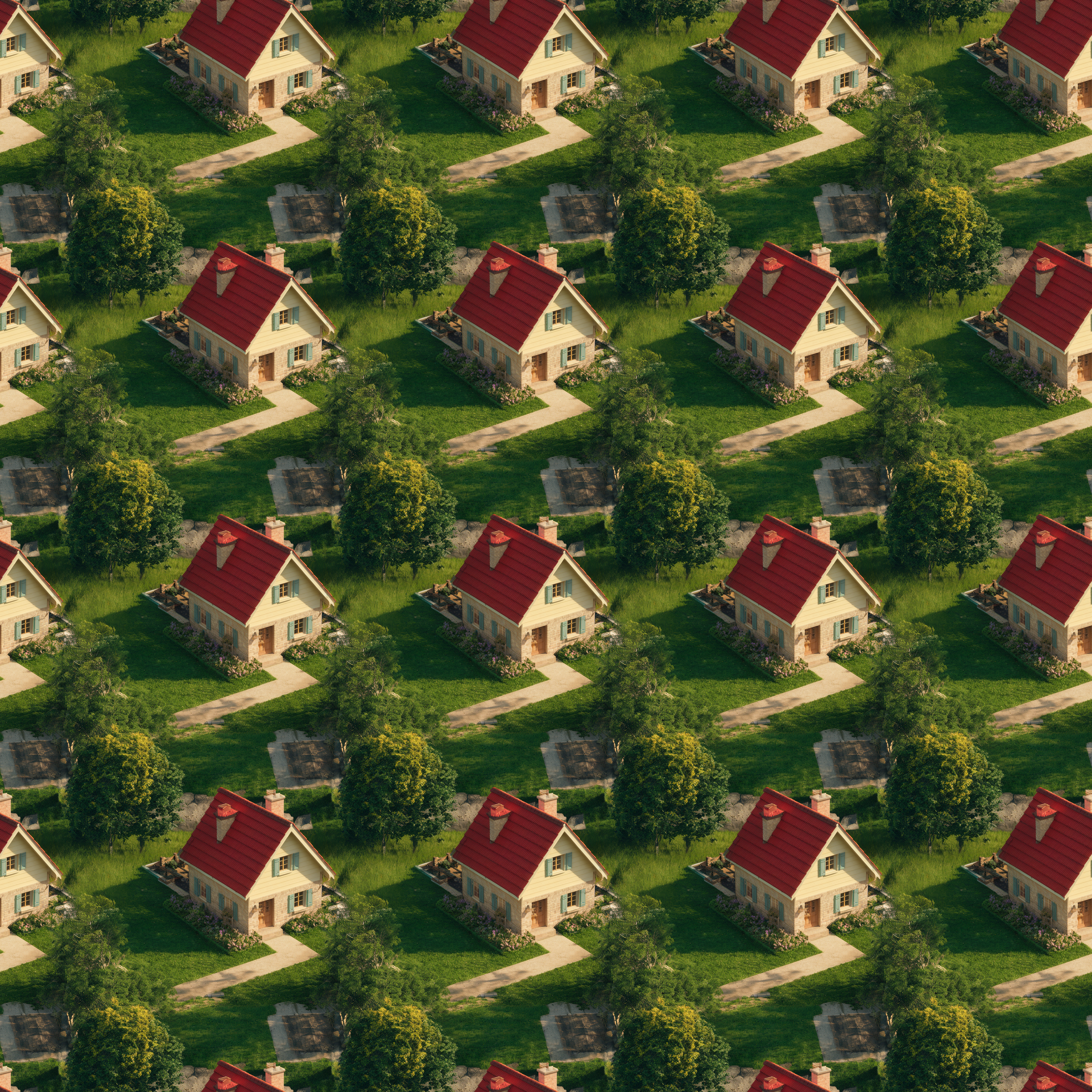
* **Grid** — Arranges images in a regular checkered grid.
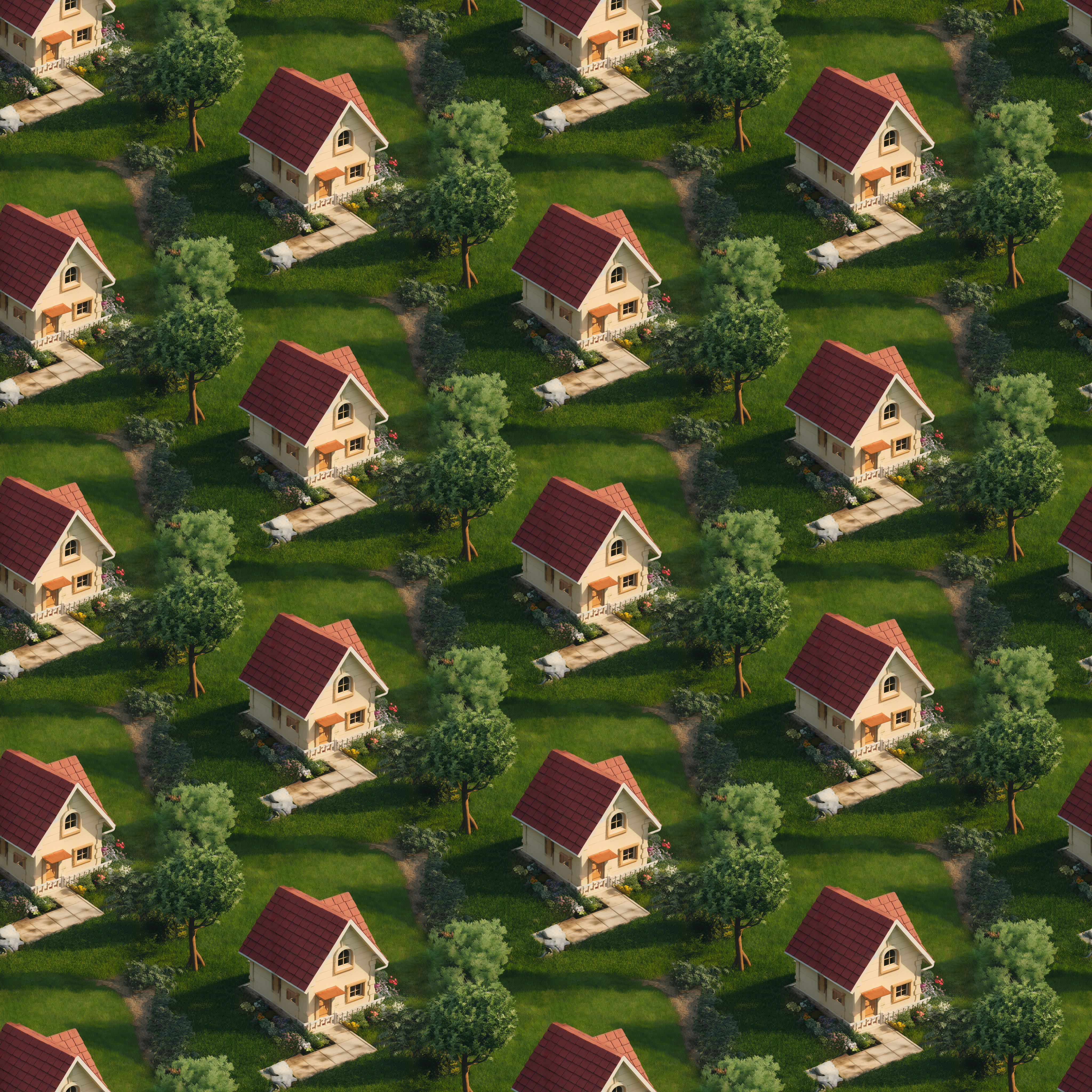
* **Vertical brick** — Offsets each column by half its height relative to the one beside it.
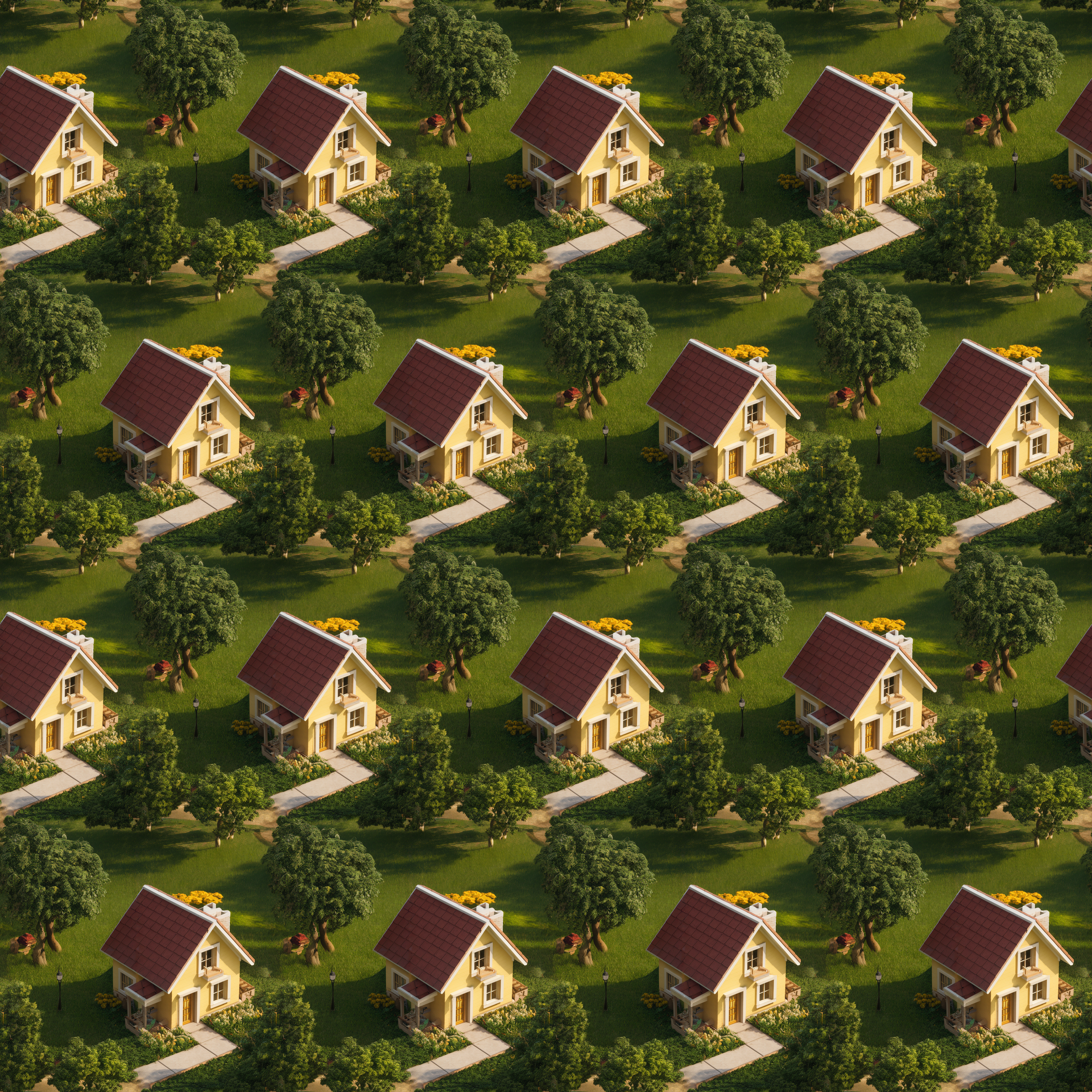
* **Horizontal brick** — Offsets each row by half its width relative to the one above or below.
* **Column** — Tiles images in a single vertical column.
* **Row** — Tiles images in a single horizontal row, ideal for banners.

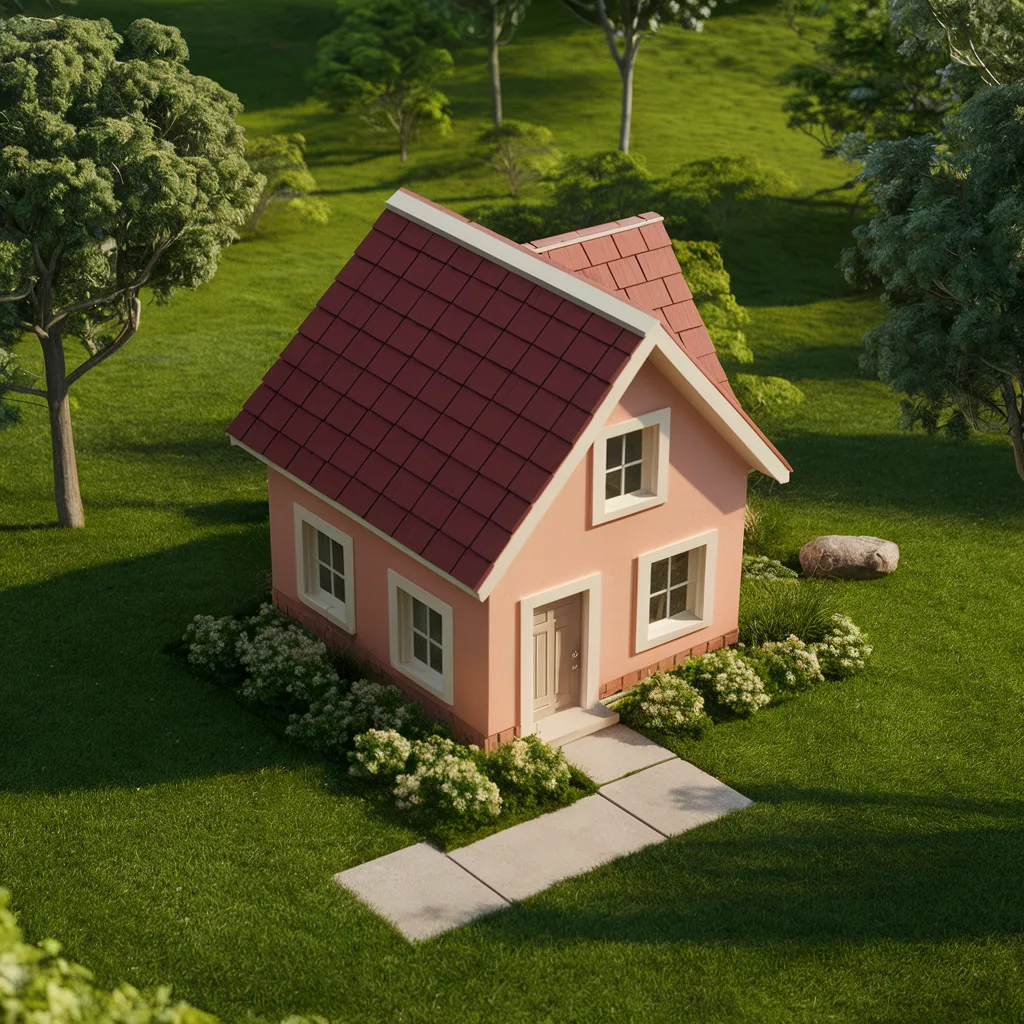
Here are some visual examples of each grid style:

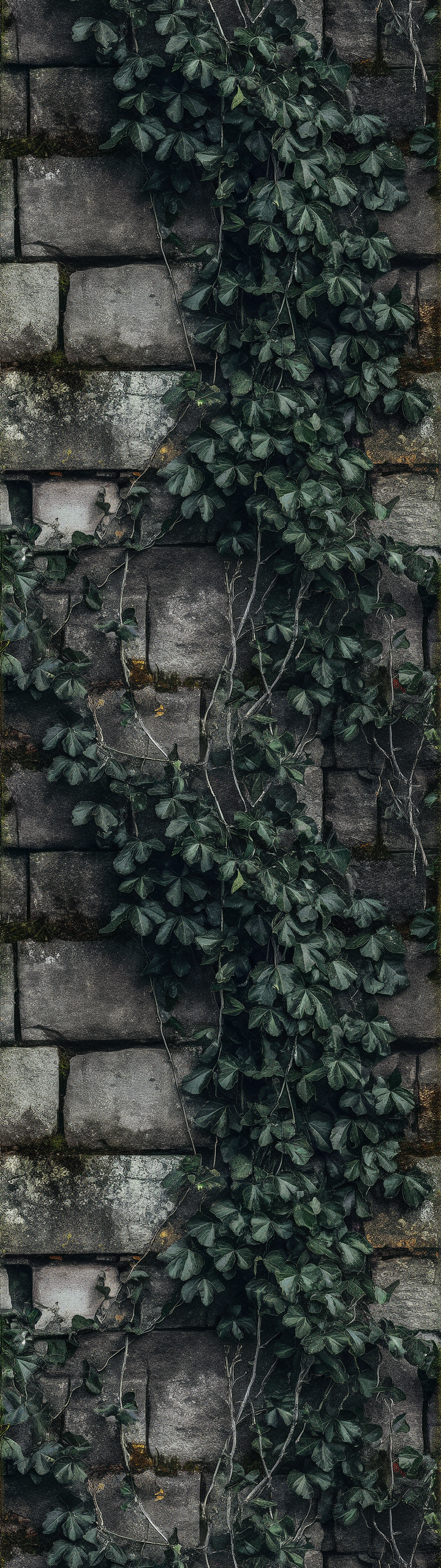
<table data-card-size="large" data-view="cards"><thead><tr><th></th><th></th><th></th></tr></thead><tbody><tr><td>No tile (generated without tiling)</td><td><img src="https://1799634369-files.gitbook.io/~/files/v0/b/gitbook-x-prod.appspot.com/o/spaces%2FzjhNby3LLsIikYuvxAJP%2Fuploads%2Fvqbh2aY693HfXUUngr5C%2Fimage.png?alt=media&amp;token=01293803-41c4-457b-b4e4-7c26eb18dc54" alt="Original image to be remixed." data-size="original"></td><td>This is the image that will be remixed to generate the tile examples.</td></tr><tr><td>Grid (4x4)</td><td><img src="https://1799634369-files.gitbook.io/~/files/v0/b/gitbook-x-prod.appspot.com/o/spaces%2FzjhNby3LLsIikYuvxAJP%2Fuploads%2FibQmZH2MvVXBimO9xp7i%2F4x4%20Grid.png?alt=media&amp;token=97c53e0a-b6e3-4765-9642-26081a37a801" alt="Example of the Grid tiling style (4×4)" data-size="original"></td><td>This is the most common type of tile, arranged in a checkered grid.</td></tr><tr><td>Vertical brick (4x4)</td><td><img src="https://1799634369-files.gitbook.io/~/files/v0/b/gitbook-x-prod.appspot.com/o/spaces%2FzjhNby3LLsIikYuvxAJP%2Fuploads%2FITLDTVxEMNhgSI0rvYjF%2F4x4%20Vertical%20brick.png?alt=media&amp;token=5a076506-3d82-4597-bc90-1028f5eefe45" alt="Cottage-and-garden scene tiled 4x4 in vertical brick style, each column offset by half a tile" data-size="original"></td><td>In this example, you can see that the columns are aligned but the rows alternate.</td></tr><tr><td>Horizontal brick (4x4)</td><td><img src="https://1799634369-files.gitbook.io/~/files/v0/b/gitbook-x-prod.appspot.com/o/spaces%2FzjhNby3LLsIikYuvxAJP%2Fuploads%2Fv36xMTO3OY8UYkQIIKK8%2F4x4%20Horizontal%20brick.png?alt=media&amp;token=e9d76752-afb1-4d8a-875d-9d38d6ccc012" alt="Yellow cottage scene tiled 4x4 in horizontal brick style, each row offset by half a tile" data-size="original"></td><td>Here, in contrast, you can see that the rows are aligned but the columns alternate.</td></tr><tr><td>Column (1x1)</td><td><img src="https://1799634369-files.gitbook.io/~/files/v0/b/gitbook-x-prod.appspot.com/o/spaces%2FzjhNby3LLsIikYuvxAJP%2Fuploads%2FrctLijkBLydkjCLRo5Si%2F1x1%20Column.png?alt=media&amp;token=a9aac7eb-ddff-40de-ab83-359581523994" alt="Tall single-column tile of dark ivy climbing a weathered stone wall" data-size="original"></td><td>It's often a good idea to create your image in the same direction of the column (or row) to minimize the effect of repetition.</td></tr><tr><td>Column (2x1)</td><td><img src="https://1799634369-files.gitbook.io/~/files/v0/b/gitbook-x-prod.appspot.com/o/spaces%2FzjhNby3LLsIikYuvxAJP%2Fuploads%2FKGmzxMa6UnKMyJfxAEPm%2F2x1%20Columnpng.png?alt=media&amp;token=f2bf5288-1ffe-4abf-aeaa-7d4cc213c1b8" alt="The ivy-covered stone wall repeated twice vertically as a seamless 2x1 column tile" data-size="original"></td><td></td></tr></tbody></table>

Row (1x1)

<figure><img src="https://1799634369-files.gitbook.io/~/files/v0/b/gitbook-x-prod.appspot.com/o/spaces%2FzjhNby3LLsIikYuvxAJP%2Fuploads%2FbqSsg1Dhr4eXOJasZnNg%2F1x1_a-captivating-snapshot-of-a-bar-counter-filled-wit-iXKpRJF7S_OO_EdLgLXxJw-FxdKHOhYT2iMvvSZKLV26w.png?alt=media&amp;token=fc974dcb-d59a-4adc-a66d-aa9f697a1fb5" alt="Wide shot of assorted glass bottles lined up along a dimly lit bar counter"><figcaption><p>Here, the image was generated horizontally to get the maximum number of bottle and minimize visible repetition.</p></figcaption></figure>

Row (2x1)

<figure><img src="https://1799634369-files.gitbook.io/~/files/v0/b/gitbook-x-prod.appspot.com/o/spaces%2FzjhNby3LLsIikYuvxAJP%2Fuploads%2FuAYkJzRyQExySvwj7Qhu%2F2x1_a-captivating-snapshot-of-a-bar-counter-filled-wit-iXKpRJF7S_OO_EdLgLXxJw-FxdKHOhYT2iMvvSZKLV26w-tiled.png?alt=media&amp;token=a04ca5bd-cc92-40da-b504-33c7a5d355d9" alt="The bar counter image repeated twice side by side, forming a seamless extra-wide banner of bottles"><figcaption></figcaption></figure>

### Viewing and Adjusting Tiles

When viewing the generated images, you can toggle the tile’s animation by selecting the **Play** <img src="https://1799634369-files.gitbook.io/~/files/v0/b/gitbook-x-prod.appspot.com/o/spaces%2FzjhNby3LLsIikYuvxAJP%2Fuploads%2FE0vp2HA3eivtn1xtKmuR%2FPlay%20Button%20Grey%402x.png?alt=media&amp;token=4d17ef71-e4fe-4f98-9386-238deae76eb6" alt="Play button icon" data-size="line"> or **Pause** <img src="https://1799634369-files.gitbook.io/~/files/v0/b/gitbook-x-prod.appspot.com/o/spaces%2FzjhNby3LLsIikYuvxAJP%2Fuploads%2FFLHZF5a18zXyDUHWZtUv%2FPause%20Button%20-%20Grey%402x.png?alt=media&amp;token=e69b66f5-3e28-46f3-bc86-851a446d8839" alt="Pause button icon" data-size="line"> buttons in the upper corner, depending on the current animation state.

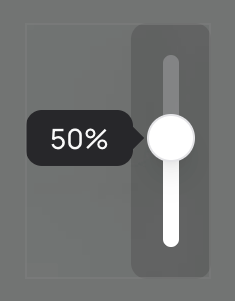
You can adjust the on-screen tile pattern’s size using the **Tile scale slider** located at the top right...

<figure><img src="https://1799634369-files.gitbook.io/~/files/v0/b/gitbook-x-prod.appspot.com/o/spaces%2FzjhNby3LLsIikYuvxAJP%2Fuploads%2FpOVgj4ibfjgiGEyMgnGM%2FTile%20Magnification%20Slider%20-%20Grey%402x.png?alt=media&amp;token=9d66ce0b-9010-422d-9e17-d2bdb1de02d8" alt="Vertical tile scale slider with its handle at 50%" width="118"><figcaption></figcaption></figure>

## Downloading Tiles

You can export your seamless Tile images in two ways:

1. From the Details Panel — While viewing a tile image, select the **dropdown arrow** at the right end of the **Download** button, then choose a format. Available formats vary depending on the tile type generated.

<figure><picture><source srcset="/files/OM5BpdAcoaCC42sDWI3w" media="(prefers-color-scheme: dark)"><img src="https://1799634369-files.gitbook.io/~/files/v0/b/gitbook-x-prod.appspot.com/o/spaces%2FzjhNby3LLsIikYuvxAJP%2Fuploads%2FvNWUwHO8d5ah5FHx4HaD%2FDownload%20-%20Tile%20Formats%20-%20Light%402x.png?alt=media&amp;token=131d4e5f-a811-4877-a3b0-340967f6500a" alt="Download menu listing 1x1, 2x1, 4x1, and 8x1 tile options" width="160"></picture><figcaption><p>Menu showing the available download Tile formats.</p></figcaption></figure>

2. From **Library** — When one or more tiles are selected, click **Download** below the image gallery. The **2×2** (or **2×1 / 1×2**, depending on the tile type) versions are automatically packaged in a **ZIP** file and downloaded to your computer where supported.

## Combining Remix and Tile

You can combine [Remix](/using-ideogram/features-and-tools/remix.md) and Tile to refine or extend an image for use as a banner, pattern, or background. This combination helps you generate exactly the composition and repetition you want.

Here are some examples:

### Example 1

Image generated from a normal prompt:\
![Watercolor of a fluffy sparrow perched on a steaming teacup decorated with flowers](https://1799634369-files.gitbook.io/~/files/v0/b/gitbook-x-prod.appspot.com/o/spaces%2FzjhNby3LLsIikYuvxAJP%2Fuploads%2FTL9Lo2d4XnZRRk3ue8dt%2Fimage.png?alt=media\&token=731a74e6-6660-4f0a-8af7-245a3f92e12e)

2x2 Tile generated from a Remix of the image above:\
![Seamless 2x2 tile of the watercolor sparrow perched on a teacup](https://1799634369-files.gitbook.io/~/files/v0/b/gitbook-x-prod.appspot.com/o/spaces%2FzjhNby3LLsIikYuvxAJP%2Fuploads%2FwJxEJC0Pc14jevsmX1r7%2F2x2-tiled.png?alt=media\&token=499cafe9-5df7-42c8-b651-8435b03f9d15)

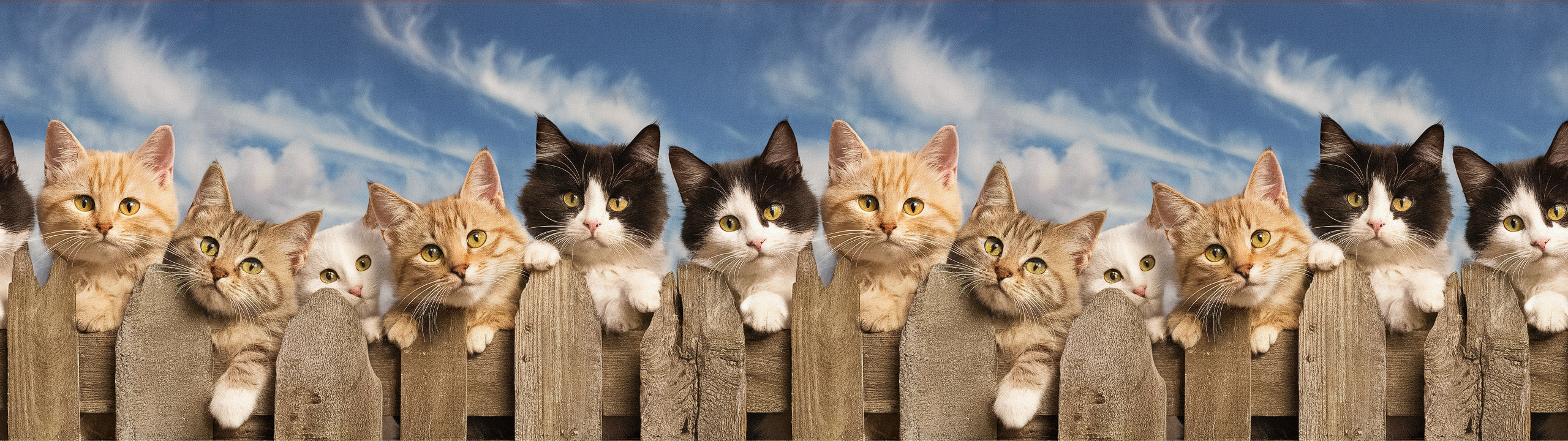
### Example 2

Image generated from a normal prompt:\
![Seven cats peeking over a weathered wooden fence under a blue sky](https://1799634369-files.gitbook.io/~/files/v0/b/gitbook-x-prod.appspot.com/o/spaces%2FzjhNby3LLsIikYuvxAJP%2Fuploads%2Ft7KrYNZBrUgpXGeokTWy%2Fimage.png?alt=media\&token=84c1363b-6a28-4385-98ae-0ed9445c07b2)

2x1 Tile generated from a Remix of the image above:\ <img src="https://1799634369-files.gitbook.io/~/files/v0/b/gitbook-x-prod.appspot.com/o/spaces%2FzjhNby3LLsIikYuvxAJP%2Fuploads%2Ftc5OX1mAA5koOe8rMGik%2F2x1-tiled.png?alt=media&amp;token=6edd5446-2882-435f-bb86-608ac9c2ea28" alt="The cats on a fence image tiled 2x1 into a wide seamless banner of kittens peering over fence posts" data-size="original">