> For the complete documentation index, see [llms.txt](https://docs.ideogram.ai/llms.txt). Markdown versions of documentation pages are available by appending `.md` to page URLs; this page is available as [Markdown](https://docs.ideogram.ai/using-ideogram/generation-settings/negative-prompt.md).

# Negative Prompt

The Negative Prompt feature guides the AI away from generating specific types of images or content. It instructs the AI on what to avoid or exclude in the generated images.

For example, if you’re using an AI to create landscape images but want to avoid beaches, you could use a negative prompt like "beach" or "beach, sand, water, ocean." This helps the AI understand your preferences and constraints so it can generate images that more closely match your intended outcome.

To access the Negative Prompt feature:

1. Select the [Prompt Box](/using-ideogram/ui-overview/ui-components/prompt-box.md) to reveal the generation settings (if not already visible).
2. Select the **Tools** button to expand the generation tools.
3. Select the **More** button <picture><source srcset="/files/bbvScHeWGxLkjTbtJpXt" media="(prefers-color-scheme: dark)"><img src="/files/G9uvkUnXUA9rkmLWWyVG" alt="More button in the Prompt Box." data-size="line"></picture> to open a dropdown menu where you can enter the terms or concepts you want the AI to avoid.
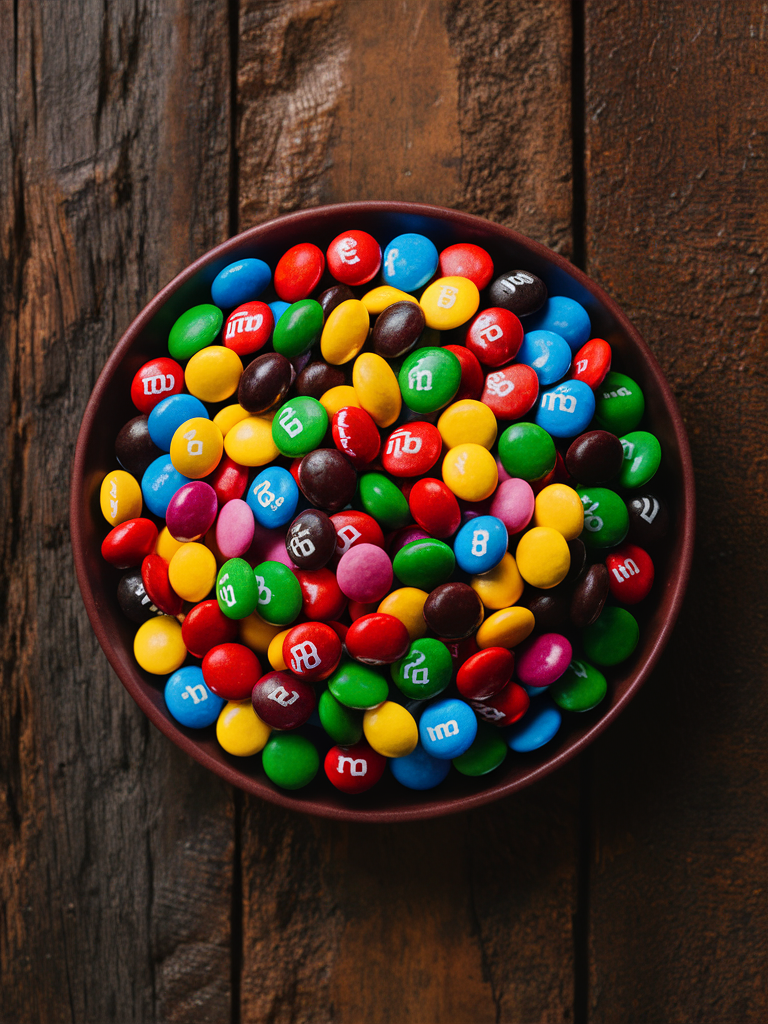
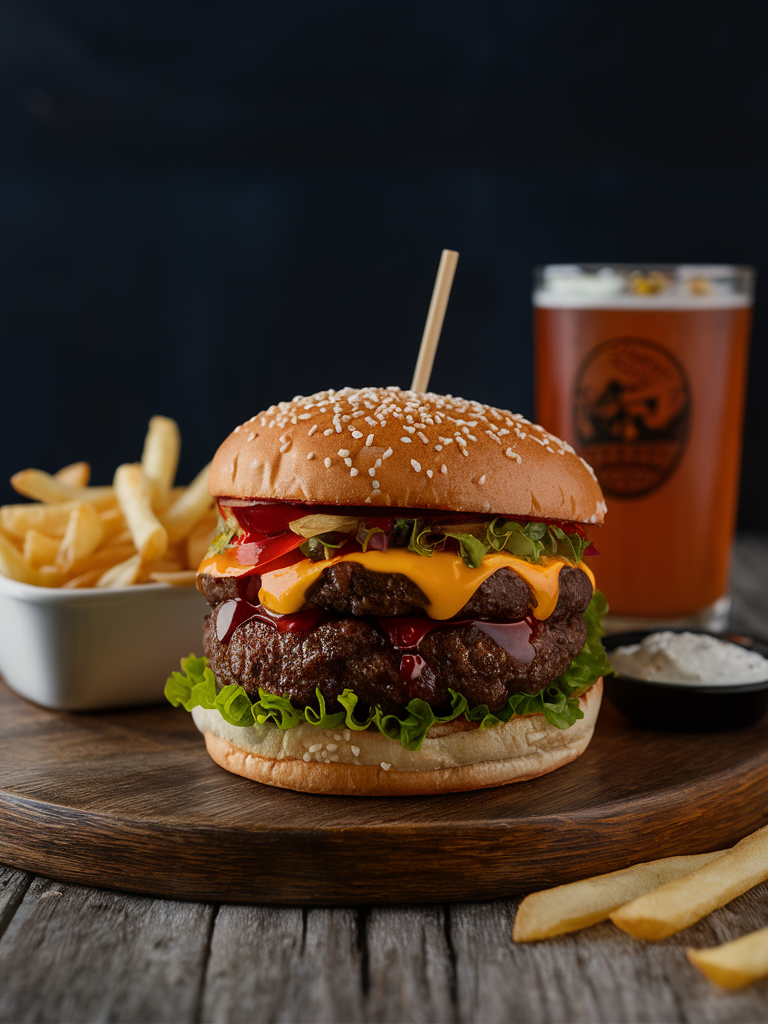
4. In the **Negative prompt** field, enter the terms or concepts you want the AI to avoid. Separate multiple items with commas (for example: green, green candies, cheese, cheddar.)

<figure><img src="/files/1f6C7n099MupvtyMB6YW" alt="Prompt Box with arrows to the settings and More buttons and the Negative prompt field highlighted in the open dropdown"><figcaption></figcaption></figure>

<figure><picture><source srcset="/files/N7hzoSEwcKUaKLrYk00J" media="(prefers-color-scheme: dark)"><img src="/files/JUqme3vPNPIPjicCabUX" alt="Negative Prompt input field inside the Prompt Box." width="375"></picture><figcaption><p>The Negative prompt field in the More menu of the Prompt Box</p></figcaption></figure>

Here are examples showing how *Negative Prompt* changes image results:

<table data-card-size="large" data-view="cards"><thead><tr><th></th><th></th><th></th></tr></thead><tbody><tr><td><img src="/files/1ryYmYBkaV9QPEnYjHHu" alt="Colorful candies including all colors, generated without a negative prompt." data-size="original"></td><td><strong>Prompt</strong>:<br>An assortment of colorful candies like Smarties or M&#x26;Ms, neatly arranged on a rustic wooden table.</td><td><strong>Negative prompt</strong>:<br>–</td></tr><tr><td><img src="/files/mV16GU8NnNkxNbwMXGOK" alt="Colorful candies with green candies removed using a negative prompt." data-size="original"></td><td><strong>Prompt</strong>:<br>An assortment of colorful candies like Smarties or M&#x26;Ms, neatly arranged on a rustic wooden table.</td><td><strong>Negative prompt</strong>:<br>green, green color, green candies</td></tr><tr><td><img src="/files/R3WjRETDfw5k5l81vORe" alt="Gourmet burger with cheese and fries, generated without a negative prompt." data-size="original"></td><td><strong>Prompt</strong>:<br>Food photography picture of a delicious gourmet burger with a side of french fries and a beverage in the background.</td><td><strong>Negative prompt</strong>:<br>–</td></tr><tr><td><img src="/files/2tJKbkZWnOApNeO4szL8" alt="Gourmet burger without cheese, generated using a negative prompt for cheese." data-size="original"></td><td><strong>Prompt</strong>:<br>Food photography picture of a delicious gourmet burger with a side of french fries and a beverage in the background.</td><td><strong>Negative prompt</strong>:<br>cheese, cheeseburger, cheddar cheese</td></tr></tbody></table>

{% hint style="info" %}

#### Tips:

Here are some tips to get the most out of the feature:

* Use multiple keywords to describe what you don't want.
* Be as precise as possible without providing excessive detail.
* It is often simpler and more effective to write prompts that naturally exclude unwanted elements instead of relying heavily on negative prompts. See the [Handling Negatives](/using-ideogram/getting-started/prompting-guide/4-handling-negatives.md) section of the *Prompting Guide* for more details.
  {% endhint %}

{% hint style="warning" %}
**Important tip:** If your negative prompt does not seem to work, check whether something in your main prompt interferes with or contradicts it. The content of the regular prompt will always be favored over the negative prompt. For example, a prompt asking for a classical guitar will almost always imply a guitar with strings. Trying to generate a guitar without strings may be difficult because the model usually interprets “guitar” as an object with strings.
{% endhint %}