> For the complete documentation index, see [llms.txt](https://docs.ideogram.ai/llms.txt). Markdown versions of documentation pages are available by appending `.md` to page URLs; this page is available as [Markdown](https://docs.ideogram.ai/get-started/account-settings.md).
# Account Settings
Change your display name, manage muted users, pick a theme, or delete your Ideogram account.
## Open Settings
1. Click your avatar at the bottom left of the sidebar to open the user menu.
2. Click **Settings**.
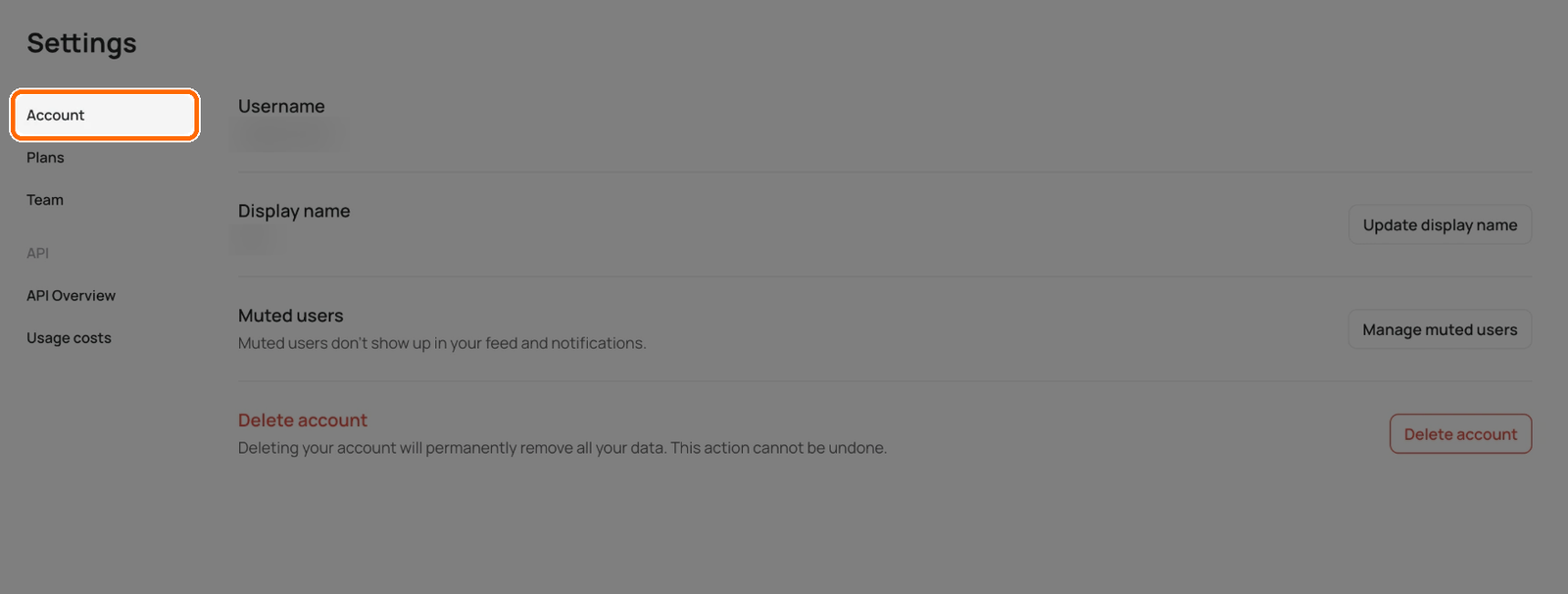
The **Account** tab opens first. The menu on the left also lists **Wallet & Billing**, **Plans** and **Team**, plus developer pages for the API.
The Account tab opens first.
## The Account tab
| Row | What you can do |
| ------------------ | ------------------------------------------------------------------------------------------------------------------------------- |
| **Username** | See your @handle. You can't change it here. |
| **Display name** | Click **Update display name** and enter a new name of up to 50 characters. |
| **Muted users** | Click **Manage muted users** to see who you muted and **Unmute** them. Muted users don't show up in your feed or notifications. |
| **Delete account** | Remove your account and all its data. See below. |
You mute someone from their profile or one of their images with **Mute creator**. They won't know you muted them.
## What isn't in Settings
Settings has no fields for your email, password, profile picture or notification preferences. You can't change your profile picture at the moment. You sign in with the method you chose at sign-up, so there is no password to change for Google, Apple, Microsoft or SSO accounts. If you use email and forget your password, click **Forgot password?** on the sign-in screen.
You can't change the email on your account, and support can't change it for you.
## Delete your account
Deleting your account permanently removes all your generations and data. You can't undo it.
{% hint style="warning" %}
If you have a subscription, [cancel it first](/plans-and-billing/billing-and-subscriptions/cancelling-your-subscription.md). Deleting the account cancels it only at the end of your current subscription period.
{% endhint %}
{% stepper %}
{% step %}
### Open the Account tab
Open **Settings** and stay on the **Account** tab.
{% endstep %}
{% step %}
### Start the deletion
Under **Delete account**, click **Delete account**.
Click Delete account.
{% endstep %}
{% step %}
### Confirm
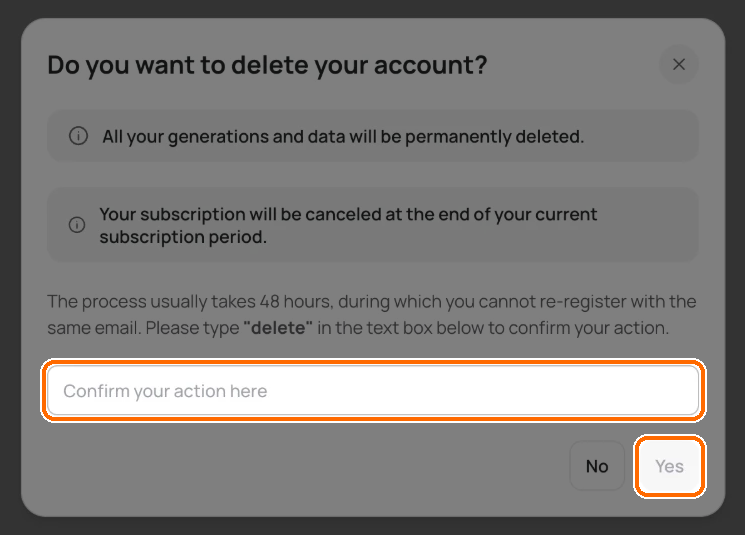
Read the warning, type **delete** in the text box, and click **Yes**.
Type delete, then click Yes.
{% endstep %}
{% endstepper %}
Ideogram signs you out a few seconds later. Deletion usually takes about 48 hours. In that time you can't sign up again with the same email.
## Theme
Pick light or dark mode from the user menu, not Settings:
1. Click your avatar to open the user menu.
2. Under **Theme**, choose **System**, **Light** or **Dark**.
**System** follows your device's setting.