> For the complete documentation index, see [llms.txt](https://docs.ideogram.ai/llms.txt). Markdown versions of documentation pages are available by appending `.md` to page URLs; this page is available as [Markdown](https://docs.ideogram.ai/plans-and-pricing/billing-and-subscriptions/invoices-receipts-and-tax-details.md).
# Invoices, Receipts, and Tax Details
Every subscription charge has an invoice you can view and download yourself — you don't need to contact support for a copy.
## Downloading an invoice
1. Click your profile picture and select **Manage plan**. This opens the Plans and pricing page.
2. Click **Manage plan ↗** in the Current plan card. This opens the billing portal.
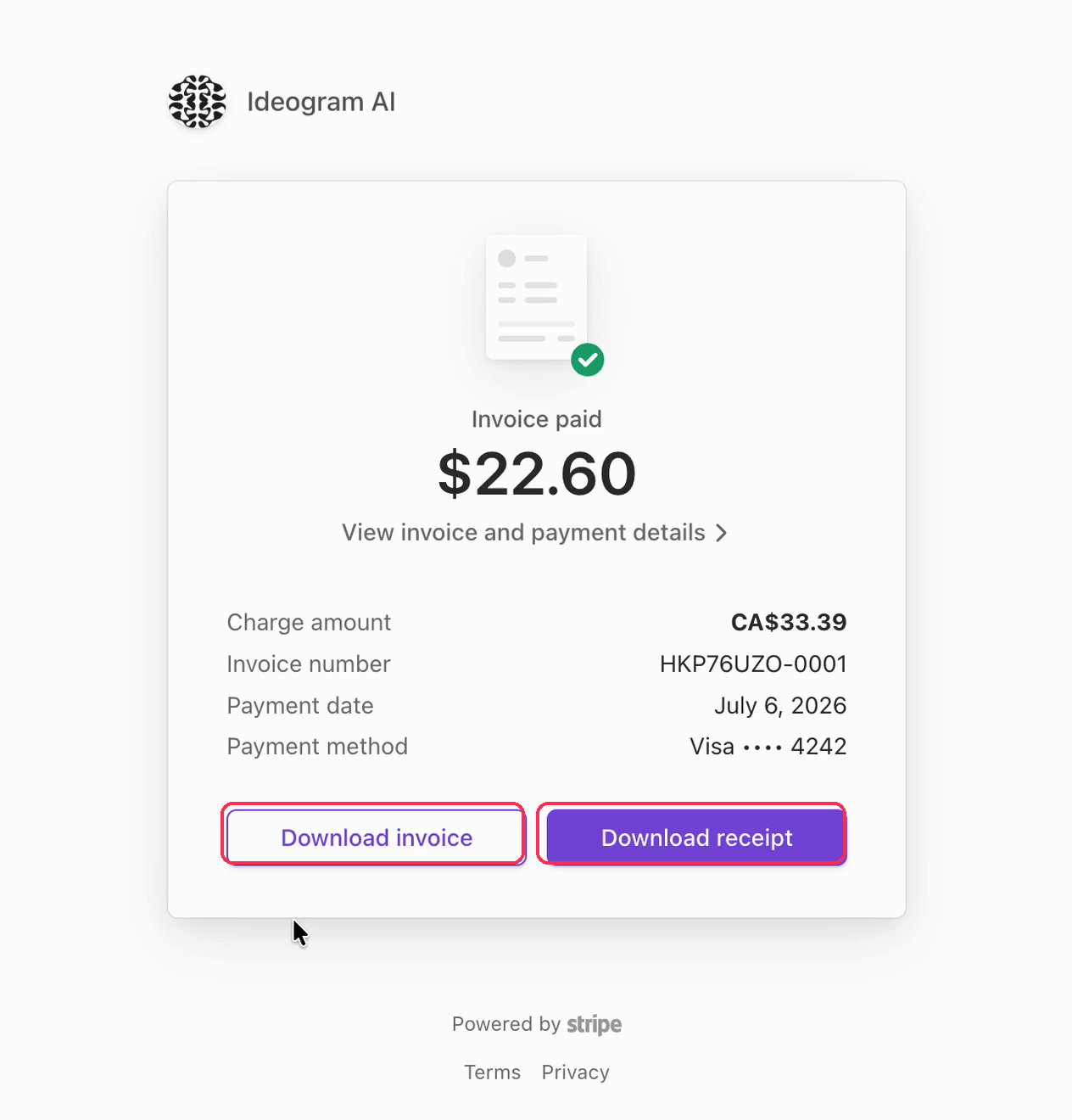
3. Under **Invoice history**, click the charge you need, then use **Download invoice** or **Download receipt**.
Every charge has a downloadable invoice and receipt.
## Adding company details or a VAT / tax ID
If you need invoices to show a company name, billing address, or tax ID:
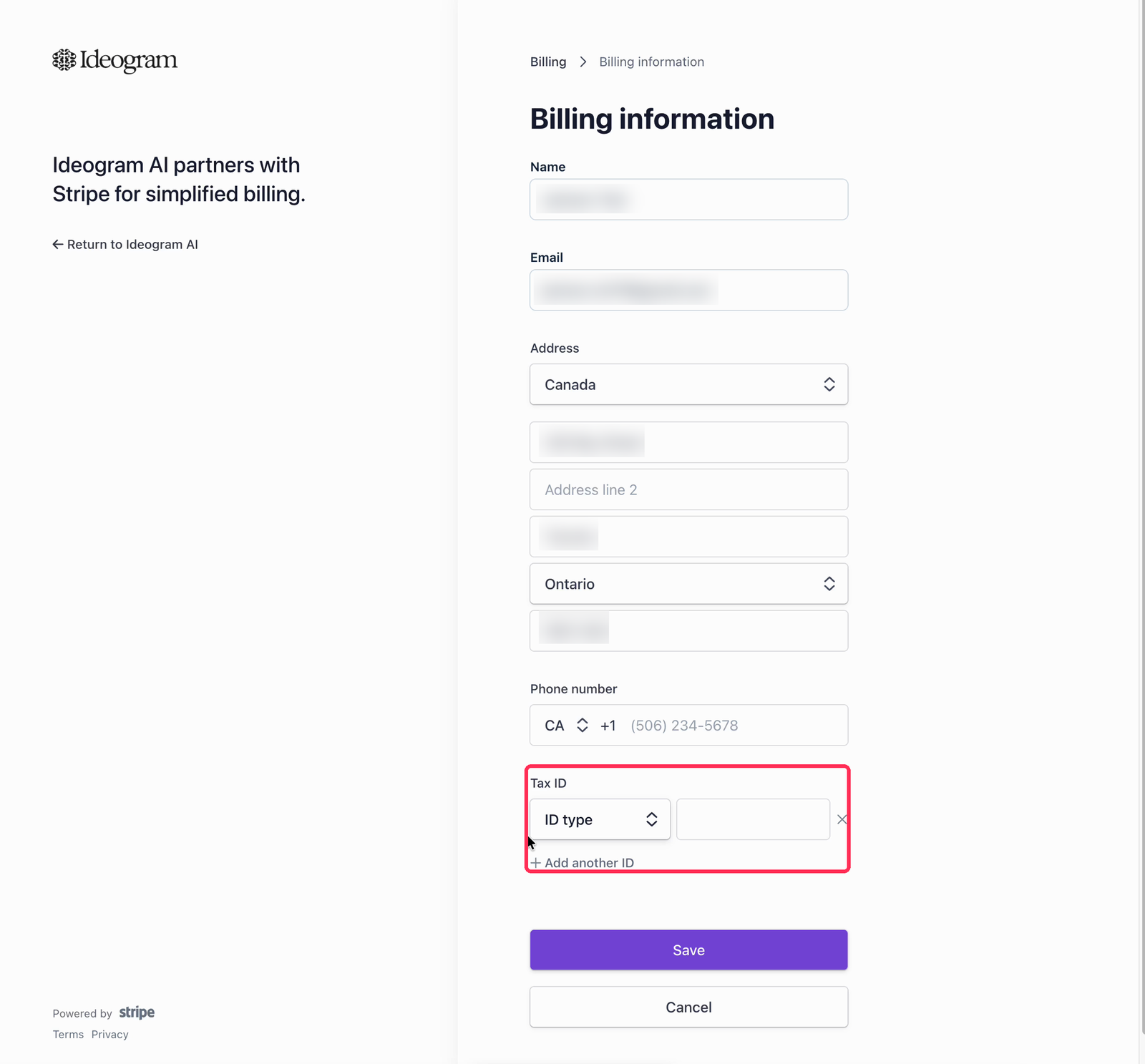
1. Open the billing portal as above, then click **Update information** under Billing information.
2. Fill in the details you need on the invoice. The **Tax ID** field supports the tax and VAT ID formats of most countries, and you can add more than one ID.
3. Click **Save**.
Add a company name, address, and tax or VAT IDs to your billing information.
Updated billing details appear on invoices issued after the change. If you need details corrected on an invoice that was already issued, contact with the invoice number and the exact details to add — and for the fastest turnaround, email from the address your Ideogram account is registered under.