> For the complete documentation index, see [llms.txt](https://docs.ideogram.ai/llms.txt). Markdown versions of documentation pages are available by appending `.md` to page URLs; this page is available as [Markdown](https://docs.ideogram.ai/plans-and-pricing/billing-and-subscriptions.md).
# Billing & Subscriptions
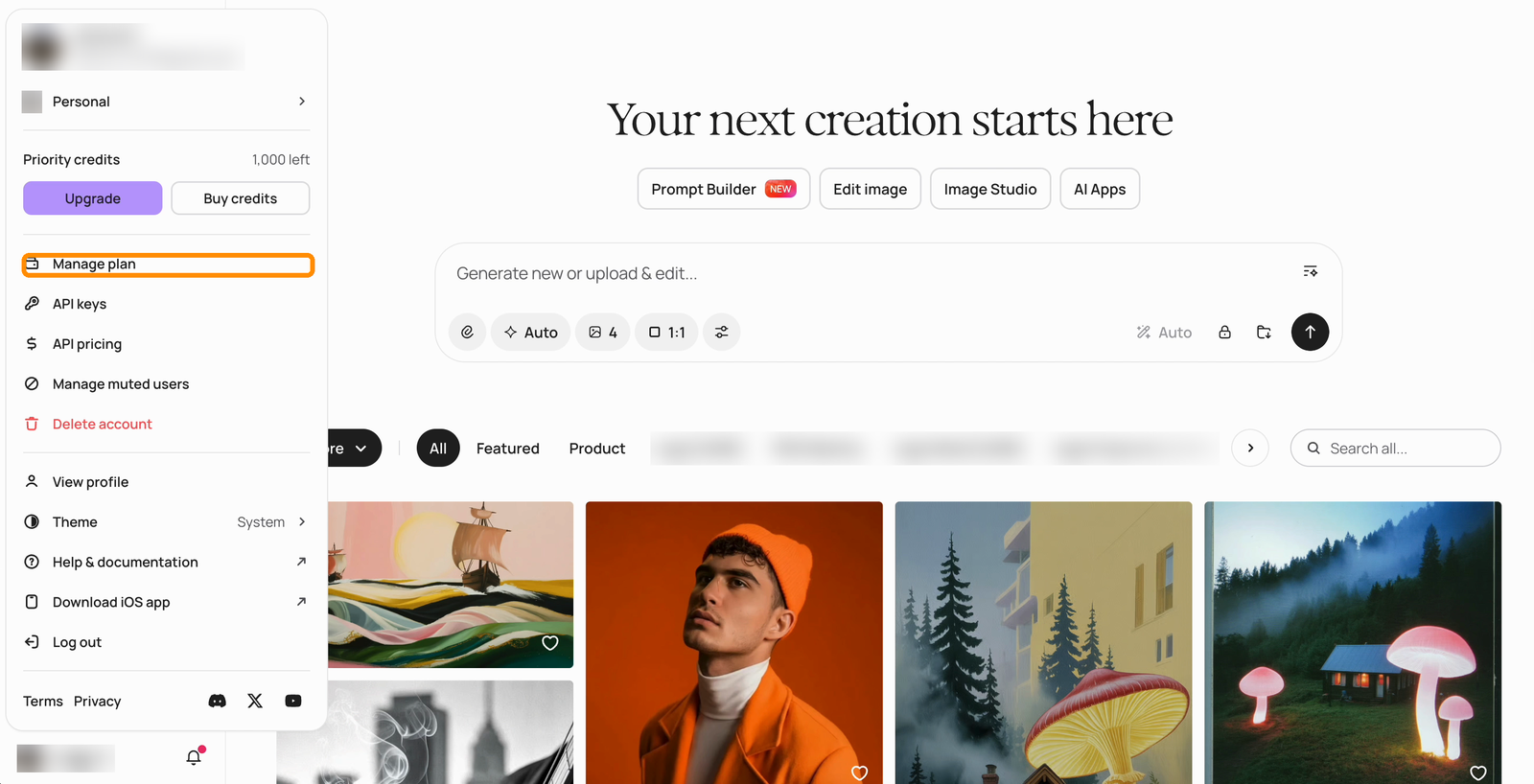
Your Ideogram subscription is managed from the **Plans and pricing** page: click your profile picture at the bottom left and select **Manage plan**, or visit [ideogram.ai/pricing](https://ideogram.ai/pricing) while signed in.
Open your profile picture menu and select Manage plan.
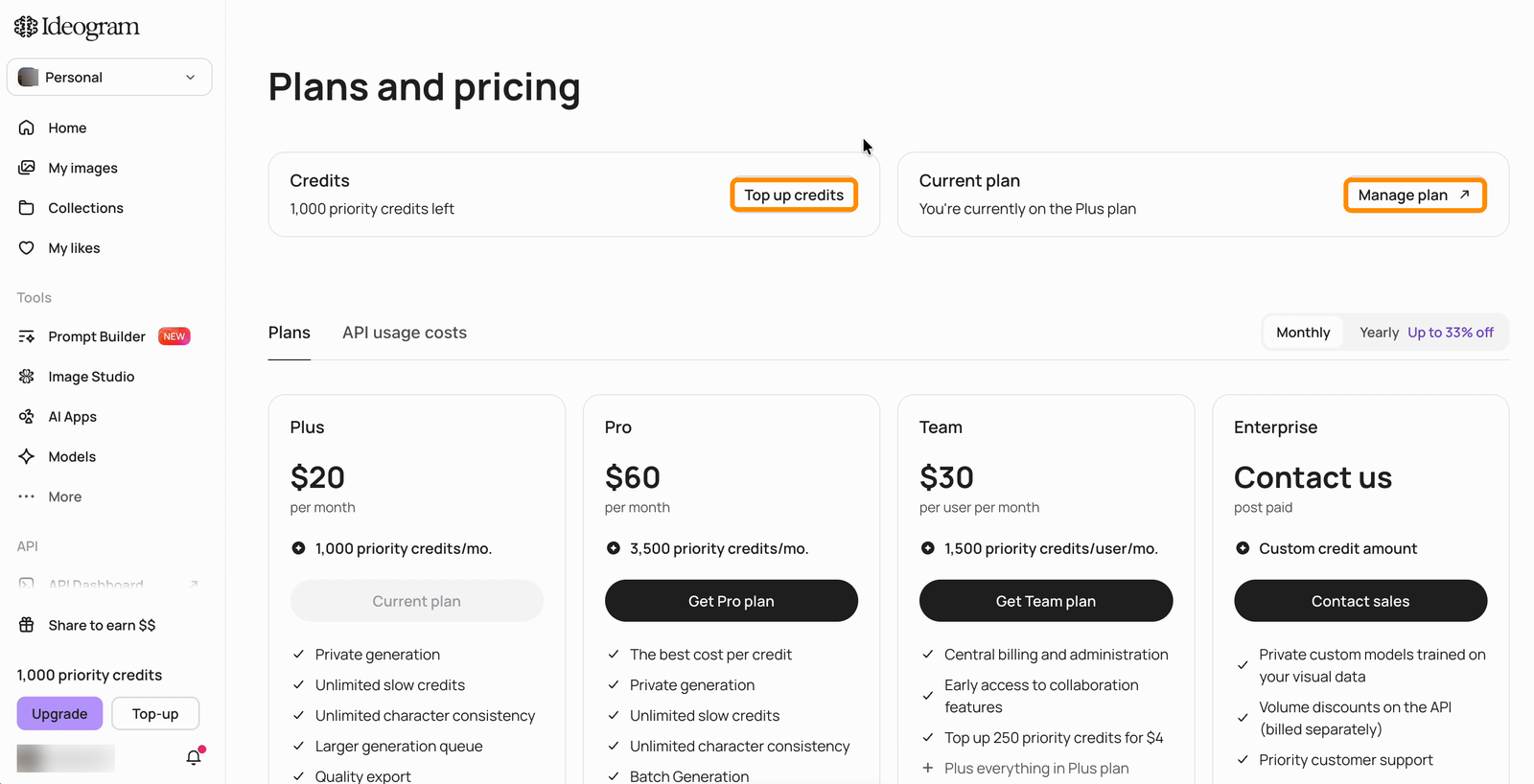
The Plans and pricing page shows your credit balance and current plan at the top, with plan cards below. Two buttons there cover most billing tasks:
* **Top up credits** — buy extra priority credits on top of your monthly allowance (see [Available Plans](/plans-and-pricing/available-plans.md#top-up-credits)).
* **Manage plan ↗** — opens the billing portal, where subscription, payment method, billing information, and invoice controls live.
The Plans and pricing page: credits and plan at the top, Manage plan opens the billing portal.
From there you can:
* [Cancel your subscription](/plans-and-pricing/billing-and-subscriptions/cancelling-your-subscription.md) — or undo a cancellation
* [Check your renewal date and billing cycle](/plans-and-pricing/billing-and-subscriptions/renewals-and-billing-cycles.md)
* [Switch to a different plan](/plans-and-pricing/billing-and-subscriptions/switching-or-downgrading-plans.md)
* [Download invoices and update billing details](/plans-and-pricing/billing-and-subscriptions/invoices-receipts-and-tax-details.md)
* Update your payment method
{% hint style="info" %}
Your subscription is tied to the specific account you were signed into when you subscribed. If you sign in with a different method (for example Google instead of Apple, or another email address), you will be in a different account and your subscription will not appear there. See [Troubleshooting Billing Issues](/plans-and-pricing/billing-and-subscriptions/troubleshooting-billing-issues.md).
{% endhint %}
For a comparison of what each plan includes, see [Available Plans](/plans-and-pricing/available-plans.md) and the live pricing page at [ideogram.ai/pricing](https://ideogram.ai/pricing). Refund eligibility is covered in [Refunds](/plans-and-pricing/billing-and-subscriptions/refunds.md).