> For the complete documentation index, see [llms.txt](https://docs.ideogram.ai/llms.txt). Markdown versions of documentation pages are available by appending `.md` to page URLs; this page is available as [Markdown](https://docs.ideogram.ai/plans-and-billing/billing-and-subscriptions/renewals-and-billing-cycles.md).
# Renewals and Billing Cycles
How Ideogram subscriptions auto-renew monthly or yearly, where to find your renewal date, what happens to credits, and how to stop a renewal.
Ideogram subscriptions renew automatically at the billing frequency you chose when subscribing — monthly or annual. Your payment method is charged on each renewal date until you cancel.
## Finding your next renewal date
Click your avatar at the bottom of the sidebar and select **Wallet & Billing**. The plan card shows **Renews on** and the date.
Renews on shows your next billing date.
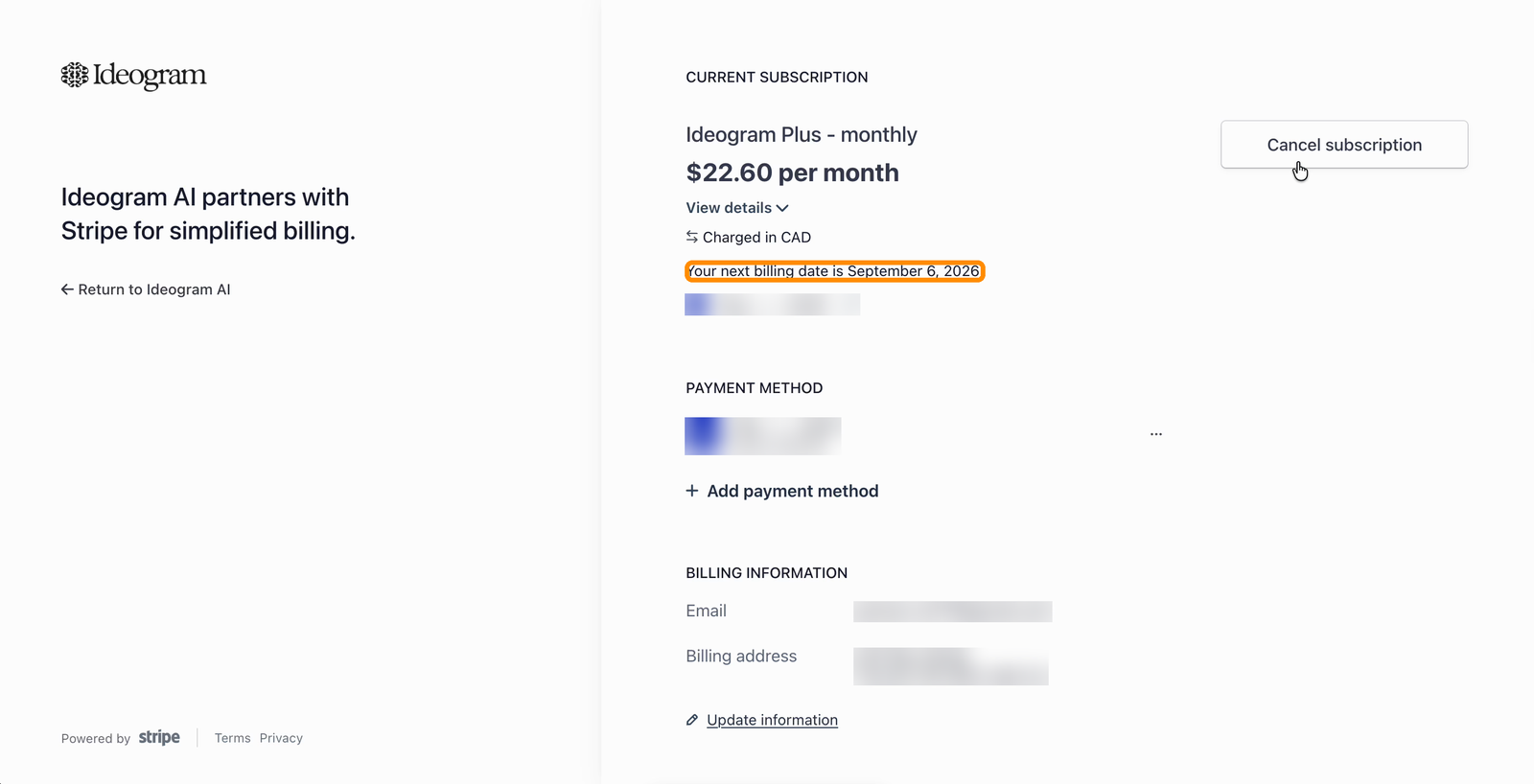
The billing portal shows it too. Click **Manage plan & billing** in the plan card, and the date appears under your current subscription.
Your next billing date is shown under your current subscription.
## Credits on renewal
Your monthly credits reset each month on your renewal day, and unused monthly credits don't carry over. Yearly plans work the same way: you pay once a year, but credits arrive each month. Credits you bought separately aren't affected. See [Plans and Credits](/plans-and-billing/available-plans.md#how-credits-work).
### Why did my annual plan's credits refresh without a renewal charge?
An annual plan has two schedules: monthly credit refreshes and the yearly subscription renewal. A monthly allowance refresh doesn't start another paid year. Use **Renews on** for the next subscription charge date and your credit balance for the allowance currently available.
For annual plans started near the end of a month, a refresh is due on the last day of a shorter month when the original day doesn't exist. For example, a plan started on January 31 has its next refresh due at February's month end, then on March 31. This describes the monthly credit schedule, not a new annual charge.
### Which plan will I have at the next renewal?
If you've scheduled a downgrade, open **Settings** → **Plans**. The pending-change banner names the destination plan and switch date. Your current plan stays active until that change takes effect. Use **Keep \[plan name]** if you want to undo it; see [Undo a pending downgrade](/plans-and-billing/billing-and-subscriptions/switching-or-downgrading-plans.md#undo-a-pending-downgrade).
## Avoiding an unwanted renewal
* Cancel **at least 5 days before your renewal date** — per the [Terms of Service](https://ideogram.ai/legal/tos), cancellations must be made five (5) days ahead of renewal to take effect for that period. See [Cancelling Your Subscription](/plans-and-billing/billing-and-subscriptions/cancelling-your-subscription.md).
* Cancelling early does not shorten your access: you keep your plan benefits until the end of the period you already paid for. There is no reason to wait until the last day.
* Annual plans renew once a year, which makes the renewal easy to forget. If you don't plan to continue, cancel ahead of time — Ideogram doesn't offer refunds (see [Refunds](/plans-and-billing/billing-and-subscriptions/refunds.md)).
## Invoices for renewal charges
Every charge has an invoice under **Invoice history** on **Wallet & Billing**. See [Invoices, Receipts, and Tax Details](/plans-and-billing/billing-and-subscriptions/invoices-receipts-and-tax-details.md).