> For the complete documentation index, see [llms.txt](https://docs.ideogram.ai/llms.txt). Markdown versions of documentation pages are available by appending `.md` to page URLs; this page is available as [Markdown](https://docs.ideogram.ai/create/describe.md).

# Describe

Turn any image into a written prompt you can edit and reuse.

Describe looks at an image and writes a prompt for it. Use it to recreate a look you like, or to learn which words Ideogram links to what it sees.

## Where to find it

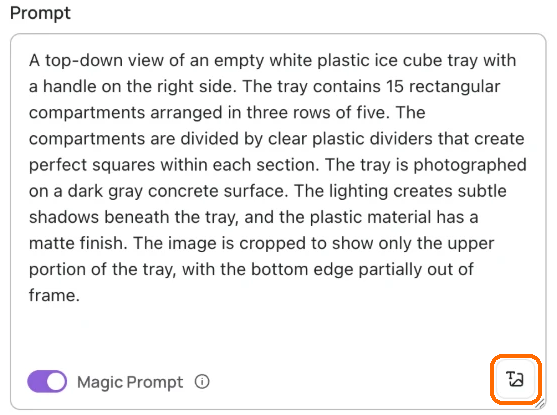
Every model's prompt box in the Image app has a **Describe** button (tooltip "Describe an image"). The **Negative prompt** field on Ideogram 3.0 has one too.

The Home prompt box has no Describe button. Open the Image app first.

<figure><img src="https://1799634369-files.gitbook.io/~/files/v0/b/gitbook-x-prod.appspot.com/o/spaces%2FzjhNby3LLsIikYuvxAJP%2Fuploads%2Fgit-blob-ff3aa7781fc826b48682dbabf2712258cd2ce33f%2Fdescribe-1.png?alt=media" alt="Prompt box filled with a Describe caption of an ice cube tray, with the Describe button at the bottom right highlighted"><figcaption><p>Click the <strong>Describe</strong> button at the bottom right of the prompt box. The caption fills the box.</p></figcaption></figure>

## Describe an image

1. Click **Describe** at the bottom right of the prompt box. Your computer's file picker opens.
2. Choose an image.
3. Wait while the box reads "Describing image…". Click **Cancel** to stop.

You can also drop an image on the prompt box, from your computer or from your feed, or paste one in. In your Library, an image's menu has **Describe**. It opens the Image app and writes the prompt there, clearing any reference images you had attached.

## What you get

A plain-text paragraph that **replaces** whatever was in the prompt box. Press Cmd+Z (Mac) or Ctrl+Z (Windows) to get your old prompt back.

The result is plain text for every model, Ideogram 4.5 and 4.0 included. Edit it like any prompt, then click **Generate**.

If something goes wrong you may see "Failed to upload image", "This image can't be described" or "Failed to describe image". Try again, or try another image.

## Example

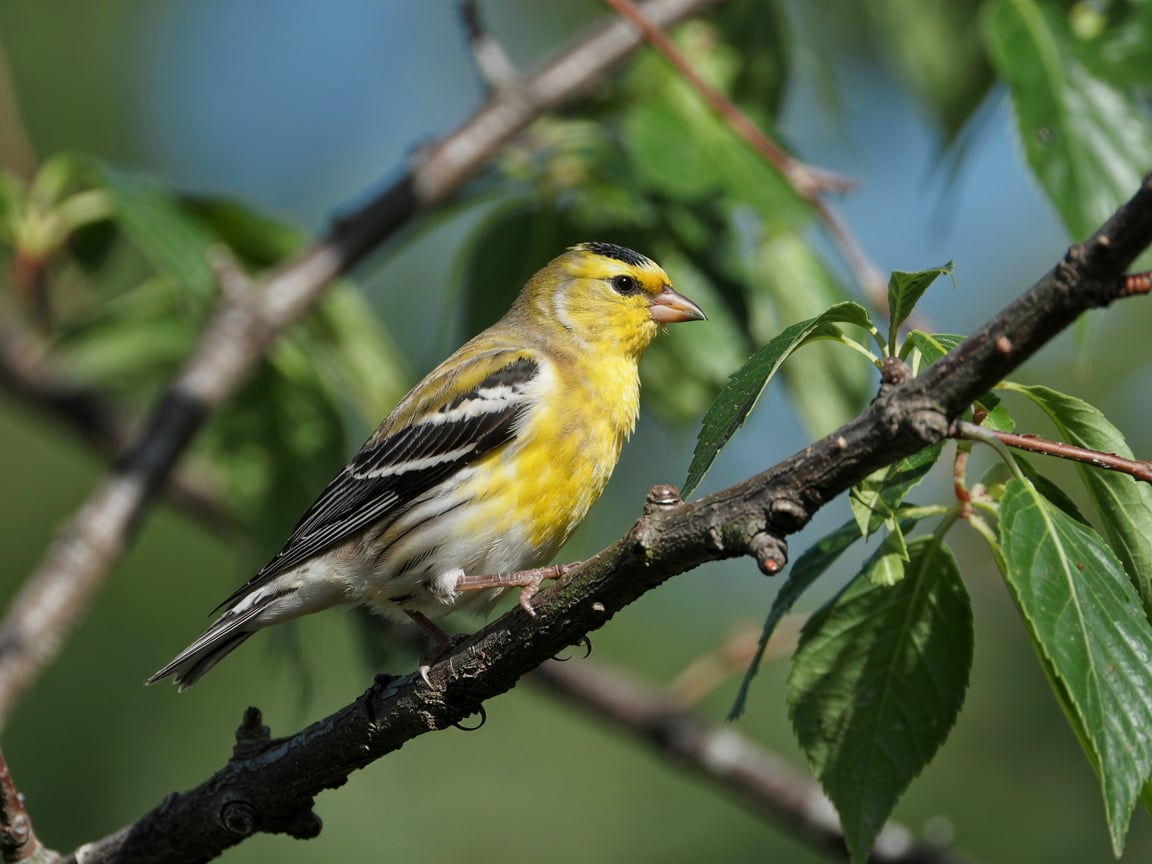
<figure><img src="https://1799634369-files.gitbook.io/~/files/v0/b/gitbook-x-prod.appspot.com/o/spaces%2FzjhNby3LLsIikYuvxAJP%2Fuploads%2FtXKvlbWj6XVP9FKavZJI%2Fimage.png?alt=media&amp;token=161be11b-ef36-4336-9a5a-f4e969249a39" alt="Photo of an American Goldfinch with bright yellow plumage and black and white wings perched on a branch among green leaves"><figcaption><p>Original photo.</p></figcaption></figure>

Describe wrote:

> *A close-up photograph of an American Goldfinch perched on a dark brown tree branch. The bird has vibrant yellow plumage on its head, back, and wings, with distinctive black and white wing bars. The goldfinch's beak is bright orange-yellow, and its eye is dark and alert. The bird is positioned facing right, gripping the rough-textured branch with its feet. In the background, there are green leaves visible, slightly out of focus, creating a natural bokeh effect. The lighting is bright and natural, highlighting the bird's bright yellow feathers. The composition is sharp and detailed, with the goldfinch positioned in the left two-thirds of the frame. The background has a blue-green tint, suggesting a summer or late spring setting.*

<figure><img src="https://1799634369-files.gitbook.io/~/files/v0/b/gitbook-x-prod.appspot.com/o/spaces%2FzjhNby3LLsIikYuvxAJP%2Fuploads%2FdfxnhLDJtK0YM3Qhnj5t%2Fimage.png?alt=media&amp;token=75df9720-dd69-4550-b108-773b6abec8eb" alt="AI-generated goldfinch with streaky olive-yellow plumage perched on a bare branch surrounded by green leaves"><figcaption><p>A new image made from that prompt with Ideogram 3.0, Realistic style.</p></figcaption></figure>

## Tips

* The prompt describes the image; it doesn't copy it. To keep the image itself in play, attach it as a [reference image](/create/reference-images.md).
* Trim what you don't need and add what's missing before you generate. See [Prompting](/prompting/prompting.md).